

Point-of-sale materials: organize approval with your agency
Organize the approval of displays, posters and catalogs. Assign reviewers, comment on the file and check every new version before release.
Written by the Aproova product team from the review flows we build and test in the application.
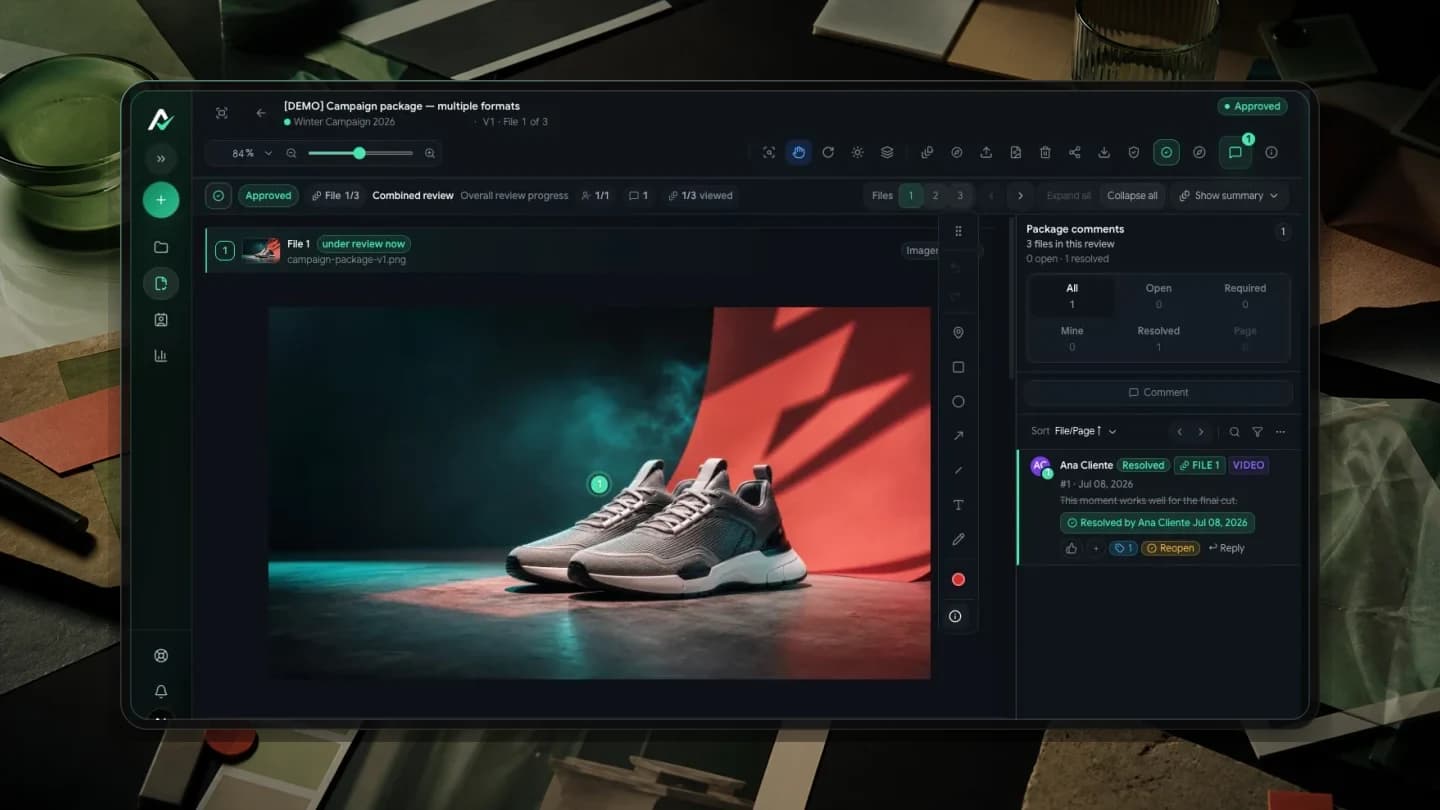
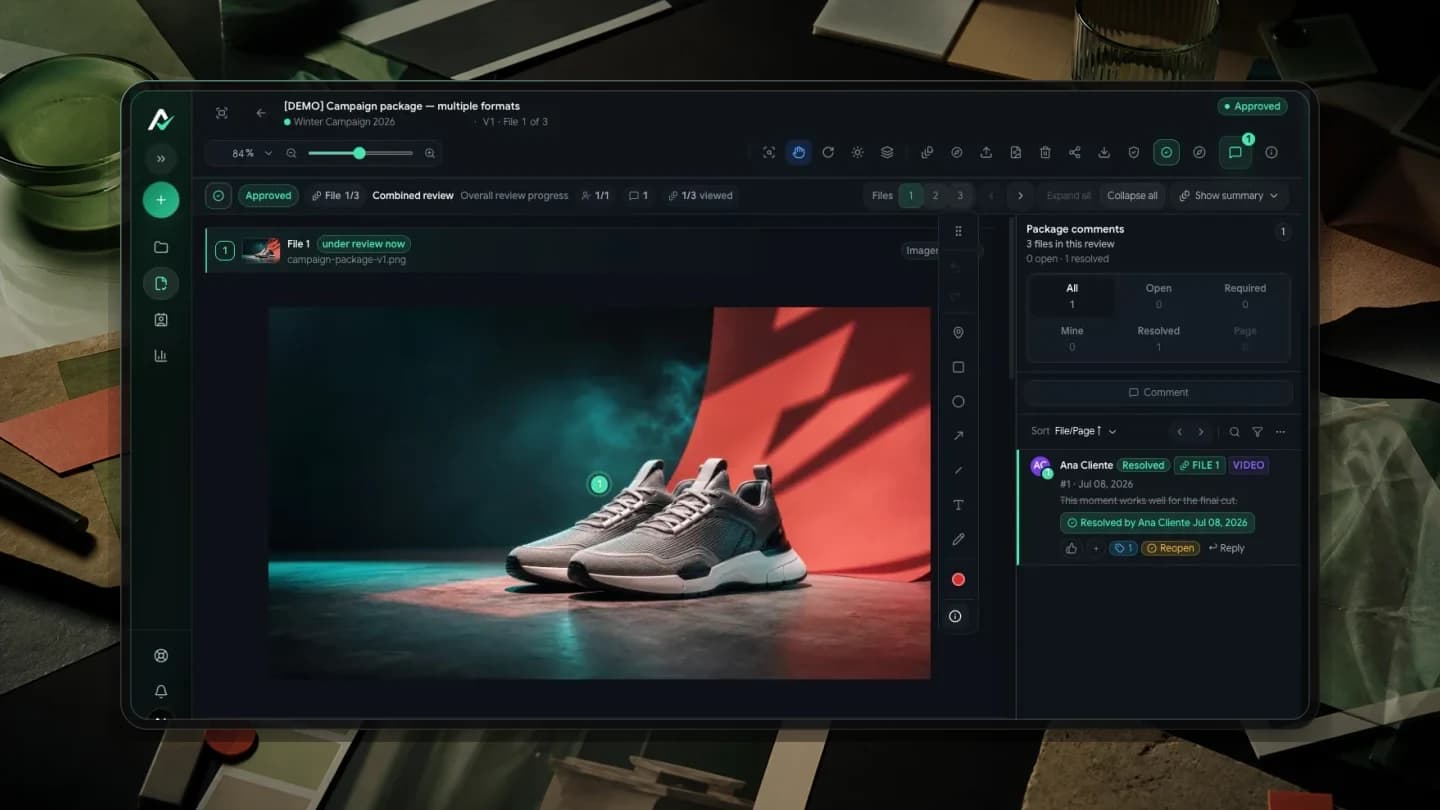
A campaign reaches the point of sale through posters, stickers, displays, catalogs, banners and videos. The price may appear in three assets and the product photo in four others. When information changes, someone must find every use and confirm that the agency updated each application.
Loose conversations lose precision. ‘Replace it with the new photo’ may be understood as a request for the poster when marketing meant the whole package. Each comment needs to identify the asset, the location and the expected result.
Start with an asset list
Before requesting approval, list the deliverables. For each item, record its name, format, application, reviewer and feedback deadline. Identify window stickers by store or variant when they differ. ‘Final sticker’ cannot distinguish two sizes or two offers.
In a fictional example, a campaign includes an A3 poster, a window sticker and an eight-page catalog. The poster shows an offer, the sticker presents the brand and the catalog brings together product models. This list lets you check the package without assuming one asset's approval covers everything.
Give each reviewer a concrete question
Marketing can check the brand, copy and campaign consistency. Sales can validate offer details. The installation team checks whether the material fits its intended location. The agency receives requests that have passed those checks, with someone responsible for resolving disagreements.
Inviting everyone does not assign responsibility. Write down what each person must confirm. If two departments request incompatible wording, settle the direction before asking for another version. The creative team should not have to choose which company instruction to follow.
Write comments the agency can act on
A useful request identifies the problem and the expected change. Instead of ‘fix the conditions’, try: ‘In the poster footer, change the closing date to 30 November, following the offer approved by Sales.’ This is a wording example, not an instruction for a real campaign.
In a catalog, identify the page and mark the passage. In video, attach the request to the relevant moment. If other assets need the same change, name them. A comment at the right location addresses the detail; the asset list helps check its repetition across the package.
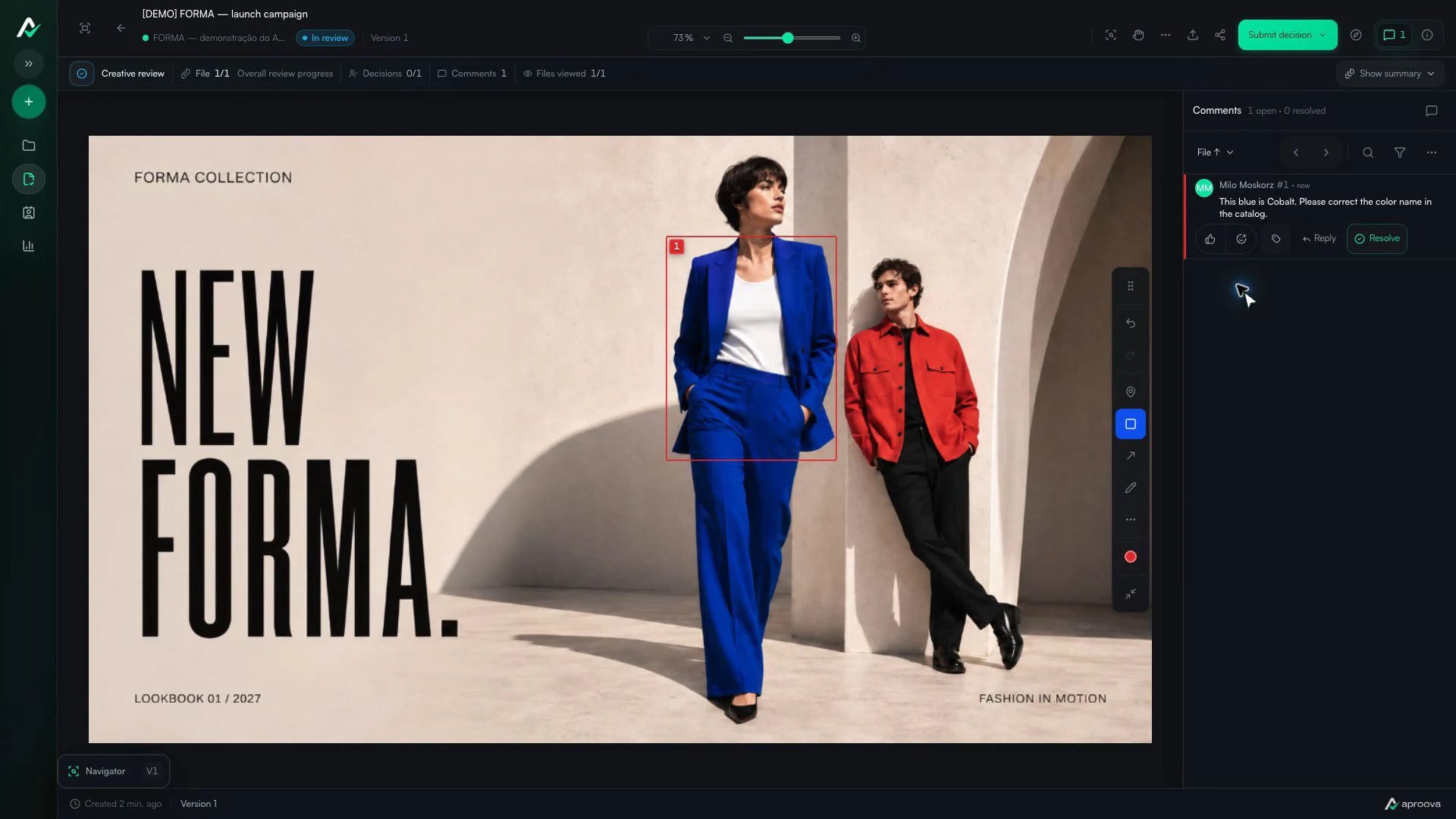
What the video shows
A rectangle marks the blazer. The comment asks for its color name to be corrected to Cobalt. Recorded in Aproova using a fictional fashion collection and test comments.
Compare the new version with the previous one
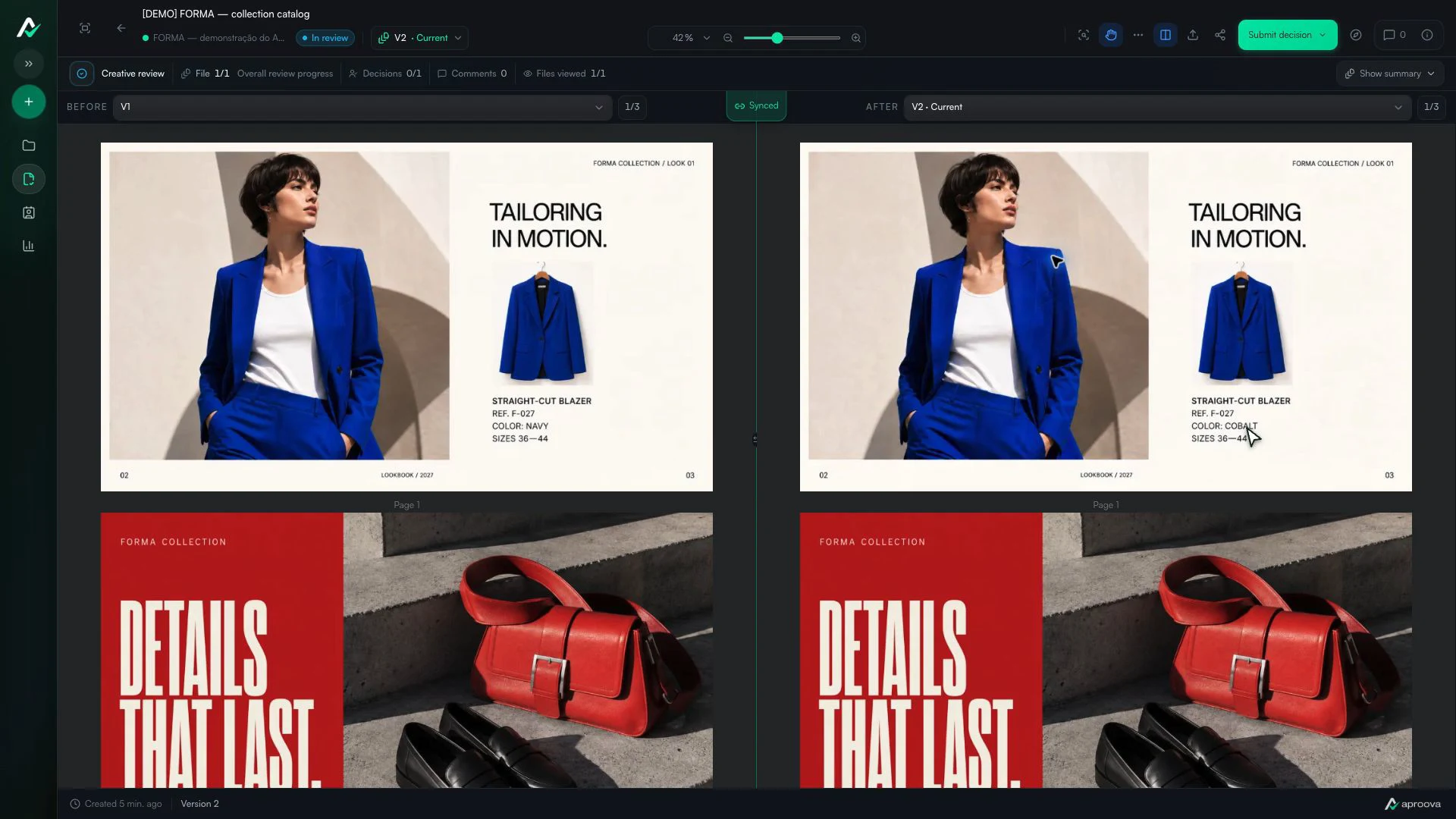
When the agency returns the material, start with the requests: did the copy change, was the photo replaced and are the conditions legible? Then check nearby elements. Longer text may displace other information. Receiving a new file does not prove every open issue was addressed.
In the Portuguese source article, Mariane Bachel Kellner of Ecoflex describes producing campaigns, point-of-sale materials, catalogs and videos throughout the year. She explains that commenting on the material and checking changes between versions makes it easier to show the agency what needs adjustment and reduces uncertainty during approval.
Release the right asset for the next stage
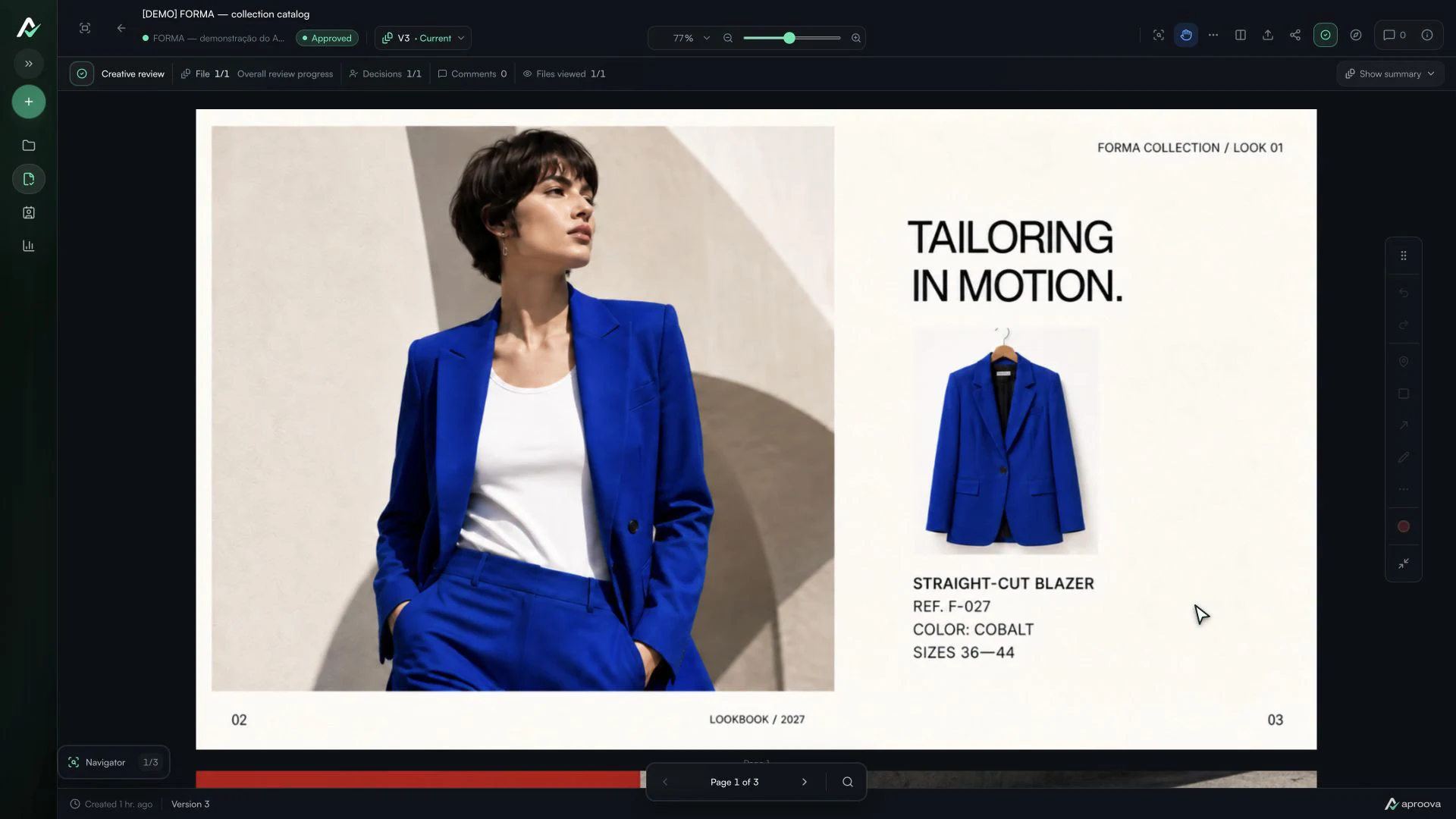
Record which version received the decision and check that the same file goes to the supplier. If something changes after approval, review the changed material again. Do not circulate two approved versions without stating the intended use of each.
The printer or manufacturer still needs to check production specifications. Approving content on a screen does not validate substrate, finishing, color reproduction or installation. If a sample or physical proof is needed, agree that step before authorizing production.
Questions people ask before setting up the workflow
Does approving the poster approve the entire campaign?
Not automatically. Define whether the decision covers one asset or an explicitly identified package. Include variants in the checks.
Can I still notify the agency through WhatsApp?
Yes. Use conversation to announce a pending review and keep the request on the material. The person making the change will find the context when they open it.
Does online approval replace a print proof?
No. It organizes content review and the decision record. Agree technical checks and any required proofs with the supplier.
Must I move all campaigns to try it?
No. A small delivery with a few formats is enough to see whether the team can comment, check the next version and close the round without reconstructing conversations across channels.
Continue with these guides
The client will not approve the artwork: what to check before another revision
Investigate unclear criteria, missing decision authority and unanswered questions before revising again. Define responsibilities, revision rounds and feedback on the asset.
Read guide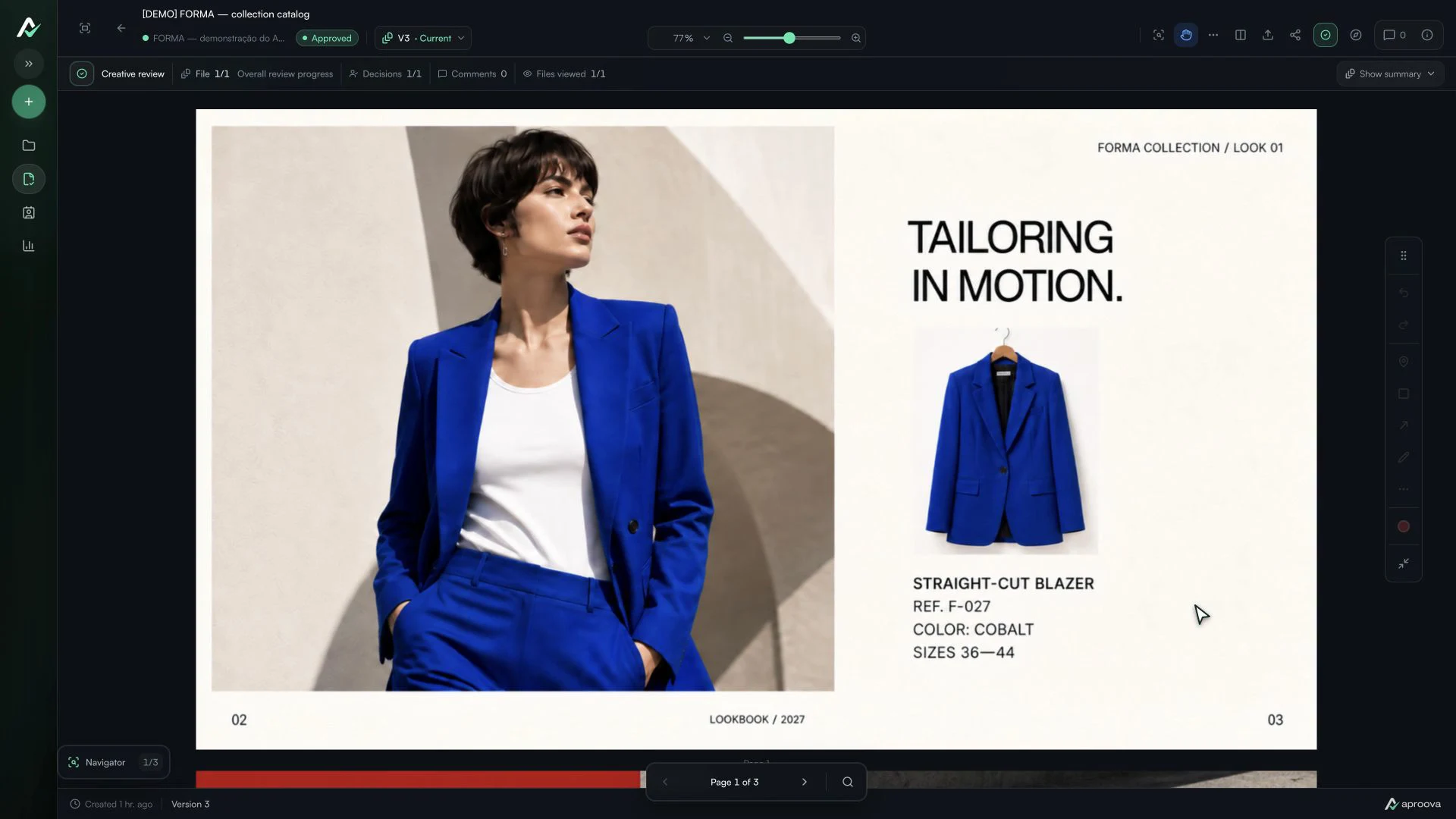
The client approved the artwork, then requested a change. Which decision applies?
Handle a change requested after approval, identify the authorized version and record a new decision without losing the history.
Read guide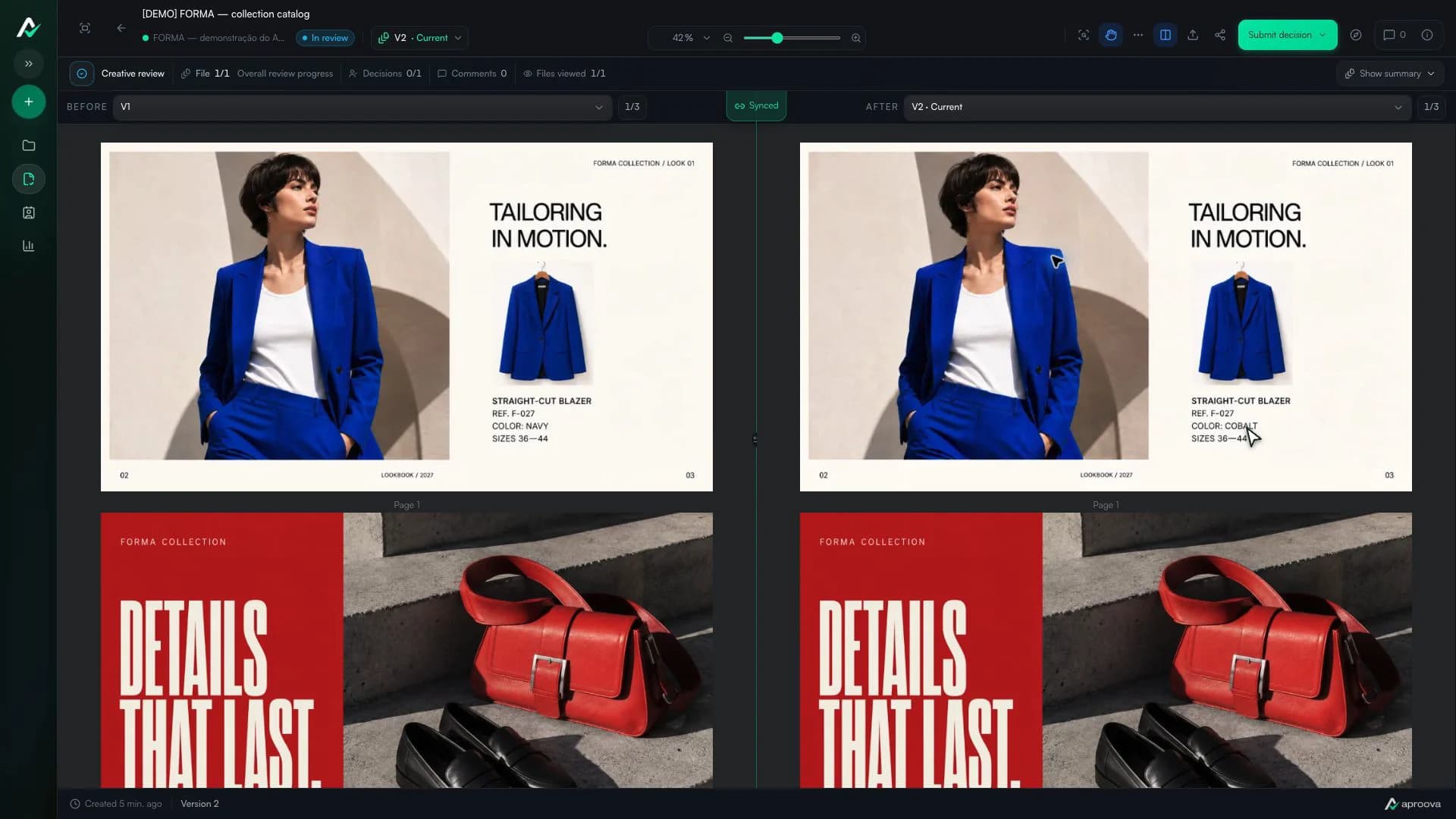
How to review a PDF with clients without scheduling another meeting
Use page-specific comments, clear versions, and one client link to review PDFs asynchronously.
Read guide