

The client approved the artwork, then requested a change. Which decision applies?
Handle a change requested after approval, identify the authorized version and record a new decision without losing the history.
Written by the Aproova product team from the review flows we build and test in the application.
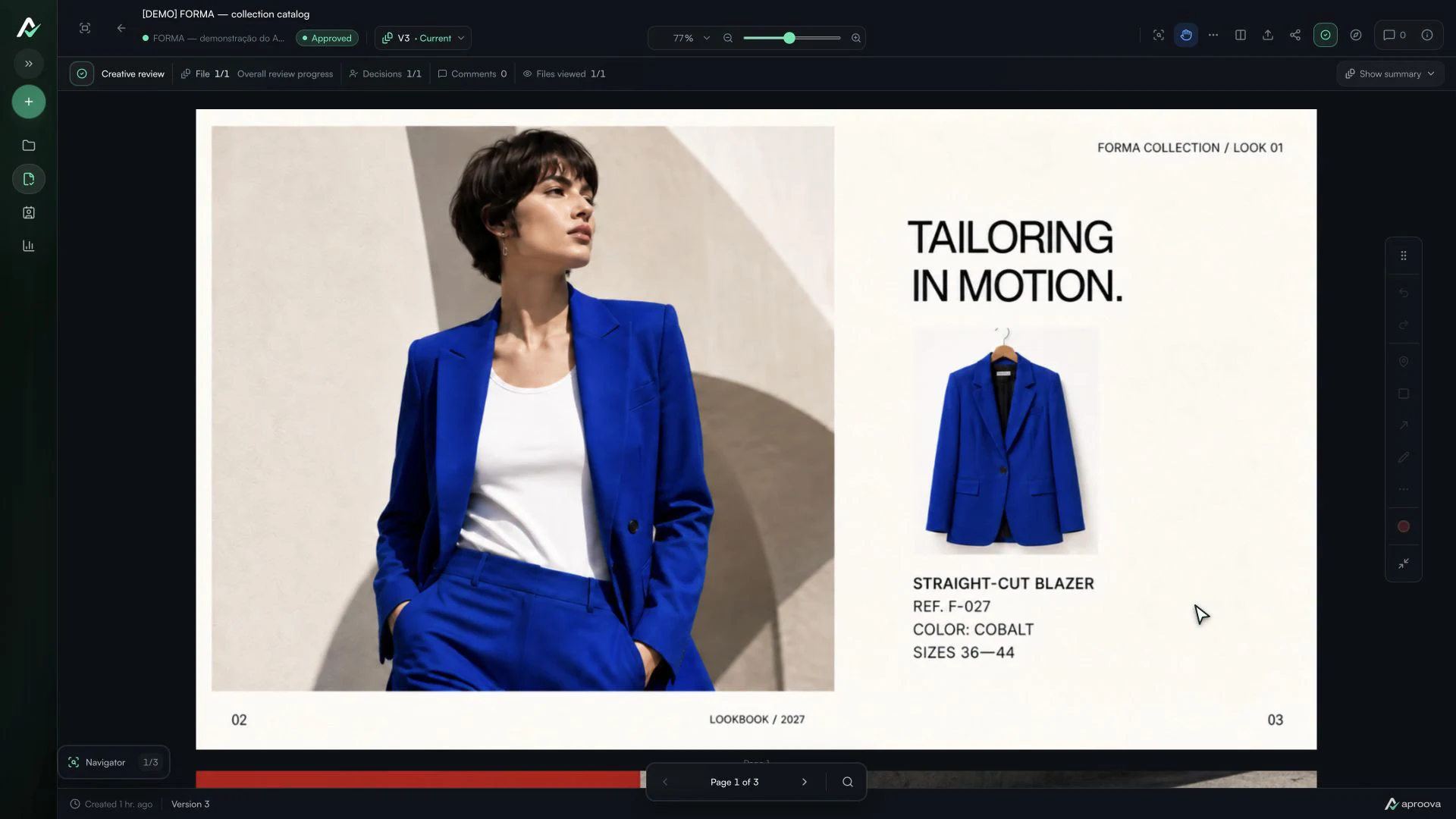
What the video shows
The four checklist items are checked, Approved is selected and the decision is confirmed. Version 3 shows one completed decision out of one. Recorded in Aproova using a fictional fashion collection and test comments.
The approval arrived at 4 p.m. At 5:12 p.m., the client asked to replace the photo. The team had already prepared the final file. The question now is which version was authorized to go ahead.
This is a hypothetical example, but the sequence is familiar. Approval applies to a specific piece of work. When that work changes, the team needs to understand the change and obtain another decision. Otherwise, a screenshot of a conversation becomes an ambiguous authorization.
First, identify what was approved
Find the file, version, person who decided, time and scope of the decision. ‘I like it’ in a comment does not necessarily mean ‘approved for publication’. The team needs to distinguish a positive reaction from a final decision.
If approval happened in a conversation without an identifiable file, do not pretend there is certainty. Reply with the material you understand was approved and ask for confirmation. This small step costs less than correcting a publication or print run.
Describe the change without erasing the earlier decision
Make the request actionable: ‘replace the main photo in version 3 with the image sent today’. Mark the relevant area and clarify whether the text, price, format and other files stay the same. ‘Change the photo’ leaves too much for the designer to guess.
The approval of version 3 remains a record of what was decided at that moment. It does not transfer to version 4. Keep both steps in the same history so nobody has to reconstruct them from email or WhatsApp.
Confirm the deadline and scope before making the change
A simple photo swap may require new crops for different formats, usage-rights checks and another export. Explain what needs doing, who must review it and whether the agreed delivery changes. If changes are chargeable, follow the current contract or proposal; the approval record alone does not establish a commercial rule.
One possible message: ‘We received the photo change after version 3 was approved. We’ll prepare version 4 for your review. Publication will wait for that new decision. I’ll confirm the revised deadline after checking the affected formats.’ Adapt the wording to the actual agreement with the client.
Request a new decision on the corrected version
Send the new version with a summary of what changed and, when needed, what stayed the same. Ask the responsible person to approve or request another change on that version. Only then release the corresponding file to the next stage.
If the work has already been published or sent to production, treat it as a correction to material already in circulation. Inform the person responsible for distribution before replacing files. An editorial decision and the technical ability to make the replacement are separate matters.
Where Aproova helps
In Aproova, comments, versions and decisions stay connected to the review. The team can upload the corrected version and request another decision without relying on a separate conversation to explain the sequence. The product organizes the record; the team remains responsible for agreeing the scope and confirming the release of the artwork.
Questions people ask before setting up the workflow
Does the earlier approval disappear when the client requests another change?
No. It records the decision on the earlier version. The modified file needs a new review before it moves forward.
Does ‘I like it’ count as approval?
That depends on the agreement and context. To avoid doubt, ask for an explicit decision on the file and version that may be published or produced.
Can the agency charge for a change after approval?
Charges depend on the contract, proposal and type of change. Record the request and check the agreed terms before promising a price or deadline.
Continue with these guides

Approval platforms: language, client access and purchasing terms
Assess language, client access, versions, history and purchasing terms before choosing an approval platform.
Read guide
The client will not approve the artwork: what to check before another revision
Investigate unclear criteria, missing decision authority and unanswered questions before revising again. Define responsibilities, revision rounds and feedback on the asset.
Read guide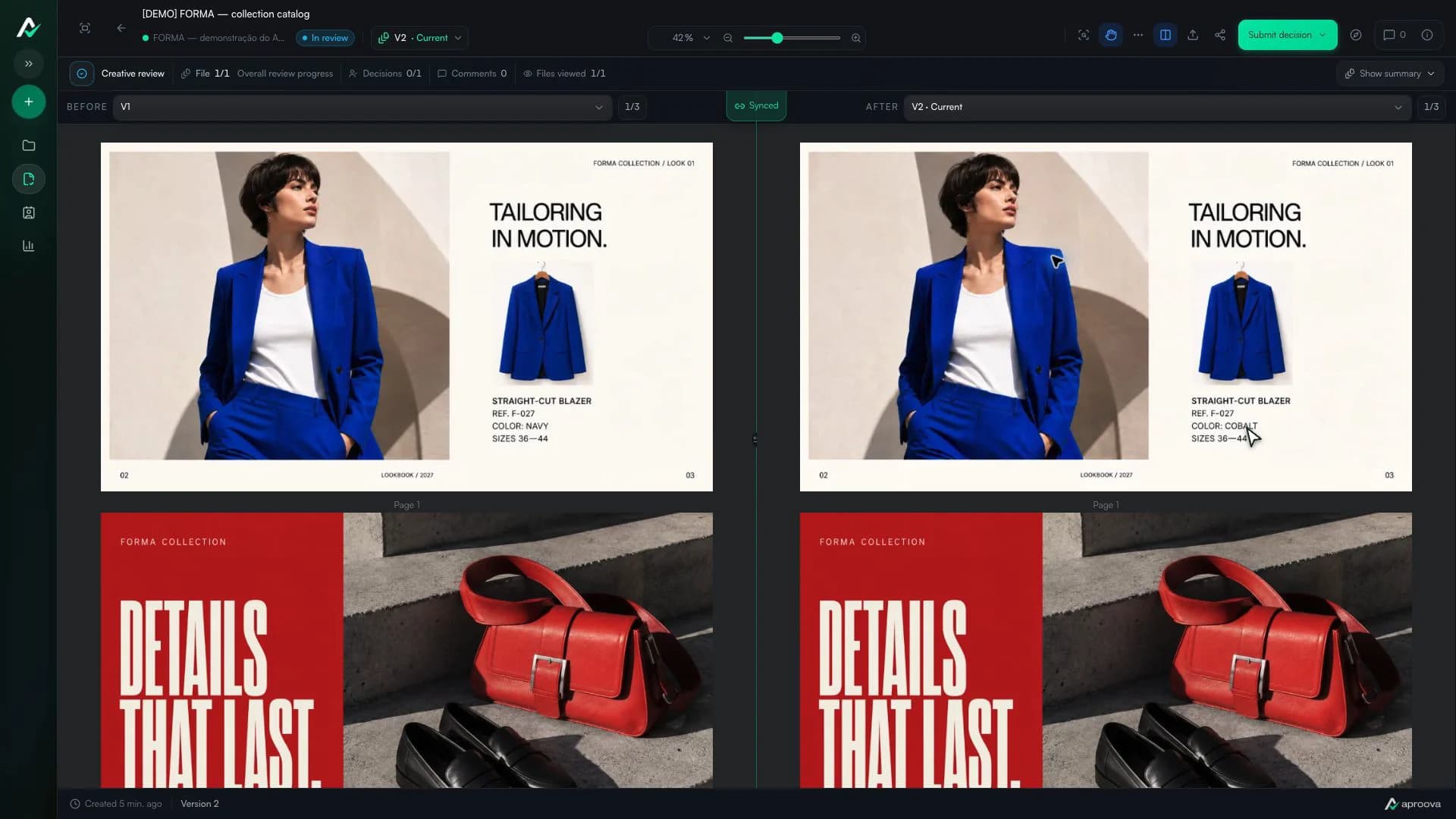
How to compare creative versions without relying on memory
Use side-by-side and overlay comparison to check changes before approving the final artwork.
Read guide