

Online proofing for agencies: how it works and when it helps
Learn how online proofing connects comments, versions and campaign approval across designers, account managers and clients.
Written by the Aproova product team from the review flows we build and test in the application.
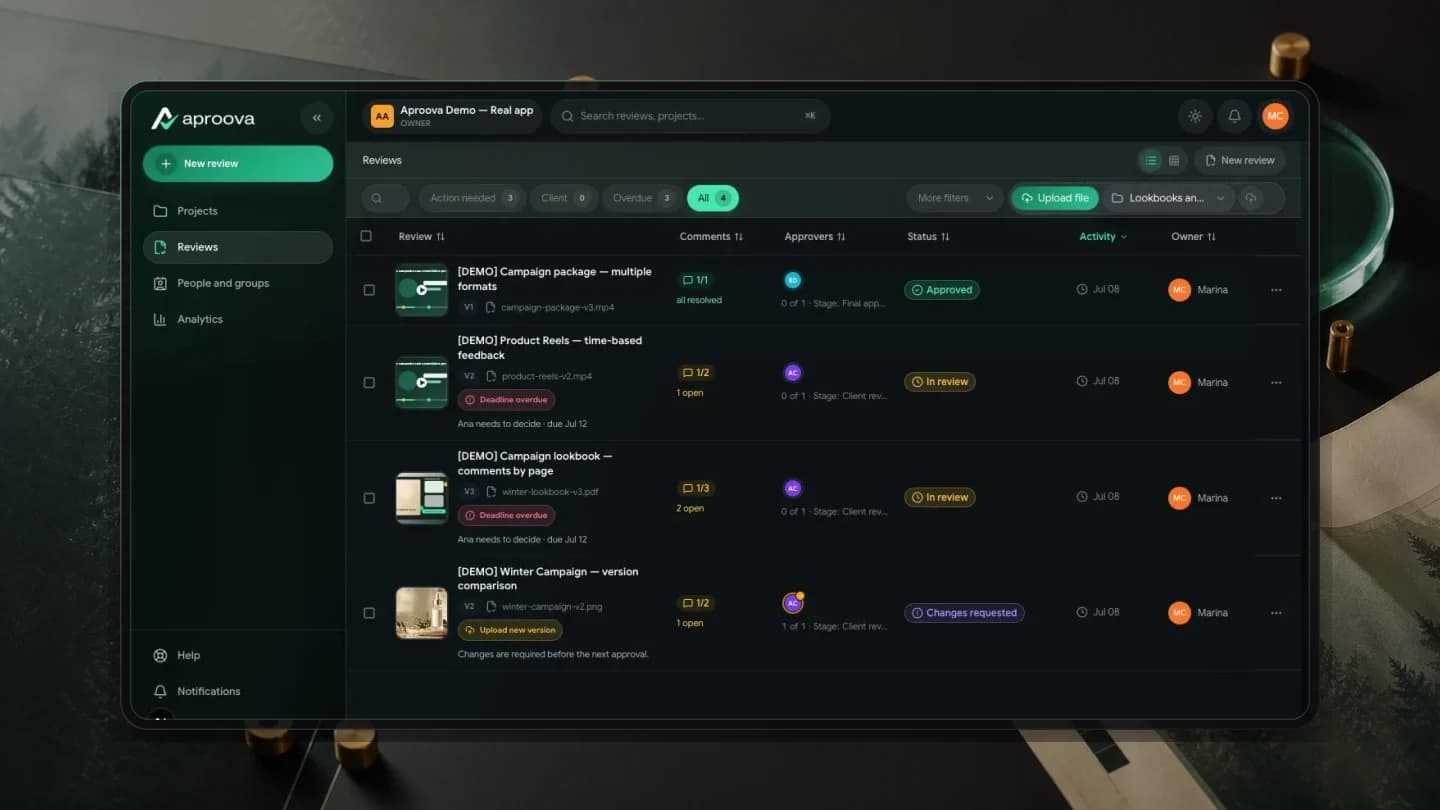
The term sounds technical, but describes a familiar task: show an asset, receive changes, send a new version and obtain a decision. The difference is that the material no longer travels separately from the discussion.
That matters when designers, account managers and clients work on the same delivery. Without a shared place, each person holds only part of the context. The designer receives a screenshot, the account manager keeps a voice message and the client believes they approved a different file.
Online proofing provides a dedicated step for this handoff. It does not replace project management, design or publishing. It organizes the work between the first file ready for review and the version authorized to proceed.
What happens inside an online proofing tool?
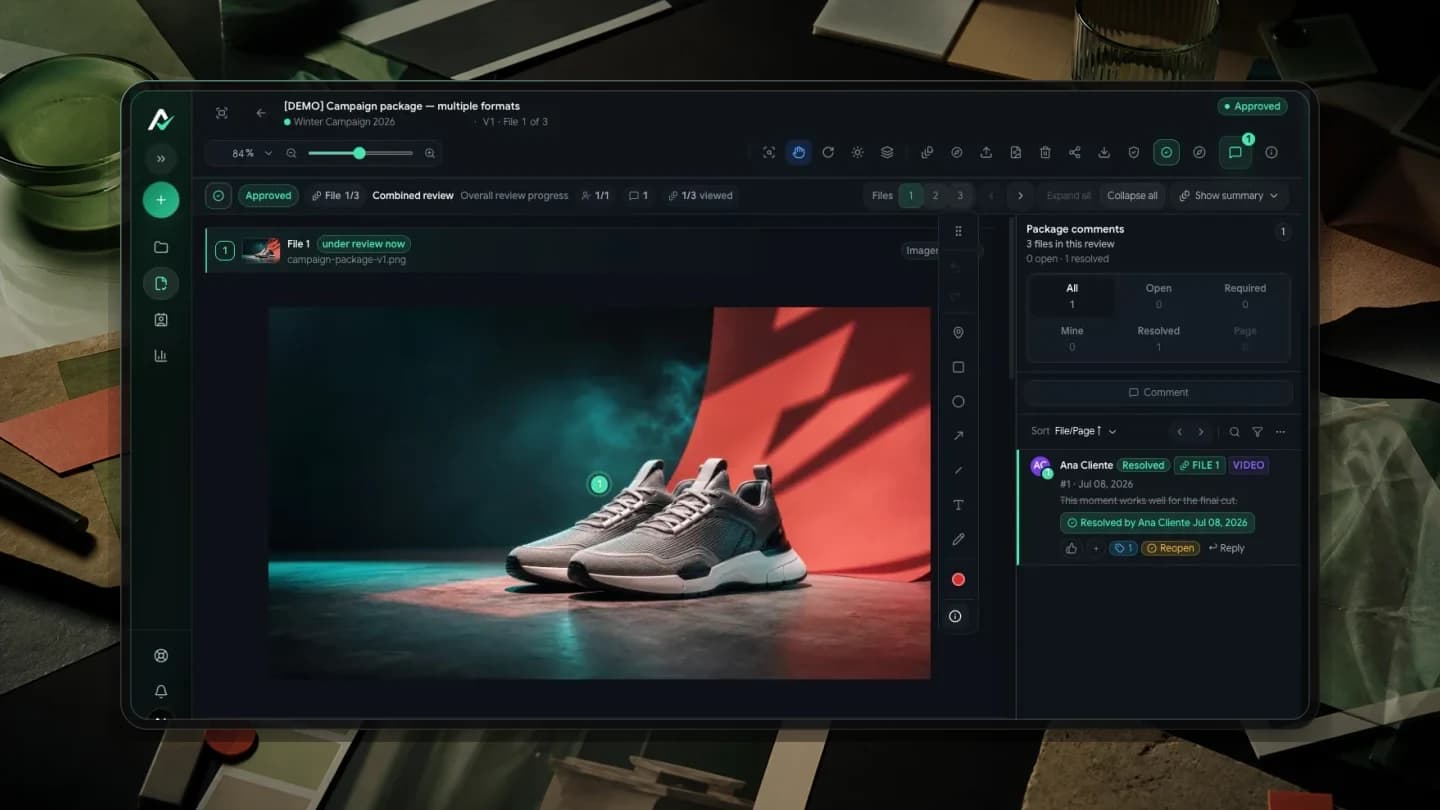
The team uploads an image, PDF or video and invites reviewers. Each comment has a location: an image area, a document page or a moment in the video. Requests no longer rely on ‘change that bit’ or detached screenshots.
A new version remains connected to the previous round. Reviewers compare changes, resolve outstanding comments and record a decision. The history should answer three questions without reconstructing conversations: who decided, when and which version was open.
How does it connect to task management, storage and design?
Management tools track tasks. Storage holds files, editors support creation and messaging prompts people to act. All can take part in the process. Check how comments, versions and decisions remain connected as work moves between those steps.
Proofing becomes useful when material crosses departments and reaches someone who does not work in the source file. Clients can review without learning the design tool, and the team can receive comments on the material instead of translating separate messages into instructions. The link leads to what is under review.
How do designers, account managers and clients work together?
The designer submits the first version for internal review when that step is available in the plan and configured in the workflow. The account manager checks the brief, text, format and outstanding issues before the client round. The team can address problems before external review.
The client then receives a link to the external stage. They comment and decide in the browser according to review permissions; check plan terms for external participants. If changes are requested, the next version joins the same history. Approval stays attached to the file released for media, print or delivery.
When does online proofing start to justify its cost?
Volume alone is not enough. A stronger signal is the cost of mistakes: unbilled rework, late delivery, publishing the wrong version or a disputed approval. Compare the cost of those incidents with the subscription instead of treating the decision as an abstract expense.
There is also an operational signal. Hours spent consolidating messages and chasing replies are administrative work within the client account. Proofing may reduce that work if the team keeps requests and decisions in the review. Measure the outcome in your own process.
When might an agency not need this step yet?
One person approving a few simple assets each month may manage with a light process. An agency focused only on social media may first need a calendar that schedules and publishes. A studio working almost exclusively on video may need specialized features for that format.
The fit becomes clearer when campaigns mix formats and require several decision stages. Images, PDFs and videos pass through internal review, the client and sometimes legal or management. The more costly version confusion becomes, the more useful a reliable record is.
How can you test it without migrating the whole operation?
Choose a real campaign with more than one format, internal review and an external decision maker. Upload the files, define roles and use the tool through to a decision. Start with representative work rather than a fictional project or the agency's most complex client.
Compare the result with your previous routine. Count messages outside the review, time to the first reply and versions circulated. Check whether the history identifies the approved file. A trial with real work helps assess fit beyond a demonstration.
Questions people ask before setting up the workflow
Is online proofing the same as creative approval?
The terms often describe the same core: reviewing material, gathering comments, managing versions and recording a decision. Online proofing emphasizes browser access and feedback attached to the file.
Does the client need to install anything?
No application is needed to open a review in the browser. Identification or login depends on access settings and permissions; check them before sending the link.
Does proofing replace project management?
No. Project management tracks tasks and deadlines; proofing handles the file, visual comments, versions and decision. Integrations can connect those parts of the workflow.
Does proofing also work for video and PDF?
Yes, if the tool supports those formats. Aproova supports page-specific PDF comments and time-linked video comments as well as image review.
Continue with these guides
The client will not approve the artwork: what to check before another revision
Investigate unclear criteria, missing decision authority and unanswered questions before revising again. Define responsibilities, revision rounds and feedback on the asset.
Read guide
Approval platforms: language, client access and purchasing terms
Assess language, client access, versions, history and purchasing terms before choosing an approval platform.
Read guide
What Aproova does, from the first version to final approval
See how Aproova handles visual feedback, versions, review stages, client access, decisions, and integrations.
Read guide