

Approve campaign assets without losing feedback in WhatsApp
Move campaign approval out of scattered messages and keep comments, versions and decisions together.
Written by the Aproova product team from the review flows we build and test in the application.

WhatsApp is useful for getting someone's attention. It is less useful for keeping an approval record.
The problem rarely appears with the first change. It appears later, when someone asks whether the final file was v2, v3 or the attachment buried in the conversation. The team opens groups, searches screenshots and tries to remember who replied. Time goes into recovering something that should already be recorded.
An approval workflow needs to be simple enough for the client to use and organized enough for the team to trust its history.
Start with the review, not the conversation
The asset needs a place with a file, an owner, a status and a deadline. Conversations can continue, but they stop being the main approval record.
In Aproova, the review list shows open work, participants and the material under review. It helps answer a basic question that holds up many teams: where is the current version?
Send the client a link with clear access rules
A client should not need to learn the entire application to comment on an asset. A review link takes them to the right material, subject to its access settings. Check who can open it and whether they can comment or make a decision.
That changes the feedback. Instead of a voice message saying ‘change the sentence in the second design’, the team sees the comment at the exact point that needs attention. The demonstration below shows a comment attached to the file.

What the video shows
A rectangle marks the blazer. The comment asks for its color name to be corrected to Cobalt. Recorded in Aproova using a fictional fashion collection and test comments.
Close the round with a recorded decision
End the round with an explicit outcome: approval, a request for changes or a new version submitted for review. If the decision stays implicit in a message, rework returns. Uploading a new version does not approve it.
The rule is simple: conversation helps, but the decision belongs with the file.
Conversation, comments and decisions do different jobs
Conversation organizes the day: someone announces an upload, checks whether the client can open it or agrees a deadline. A comment addresses the material. A decision closes the round. When all three are mixed in a group, any ‘OK’ can look like approval.
You do not need to stop using WhatsApp. Stop treating it as the official project record.
Example: three versions of one campaign
On the first version, the client requests a different photo and corrects the price. The team uploads v2, but legal identifies a condition that needs to appear in the footer. Version v3 addresses it and receives approval.
If each round arrived as a group attachment, weeks later there would be three files and several similar replies. In a review, requests stay connected to the version where they originated, and the approval points to v3.
What commonly goes wrong
The first mistake is sharing a separate link for each version. The second is accepting ‘go ahead’ without recording which file was open. The third is letting a commenter assume they can also approve.
A short workflow addresses all three: versions share the same history, each participant's role is clear and the decision belongs to the current file.
Questions people ask before setting up the workflow
Should I stop sending links through WhatsApp?
No. WhatsApp can remain the notification channel. The link should open the right review, and important feedback should be recorded there.
Does an ‘OK’ in the group count as approval?
Only if that process has been agreed and the approved file can be identified unambiguously. Recording the decision in the review makes the record clearer.
Does the client need to learn the whole system?
No. The review link should lead to the material and the actions allowed for that person. Access or identification may still be required, depending on the review's settings.
Continue with these guides

The client will not approve the artwork: what to check before another revision
Investigate unclear criteria, missing decision authority and unanswered questions before revising again. Define responsibilities, revision rounds and feedback on the asset.
Read guide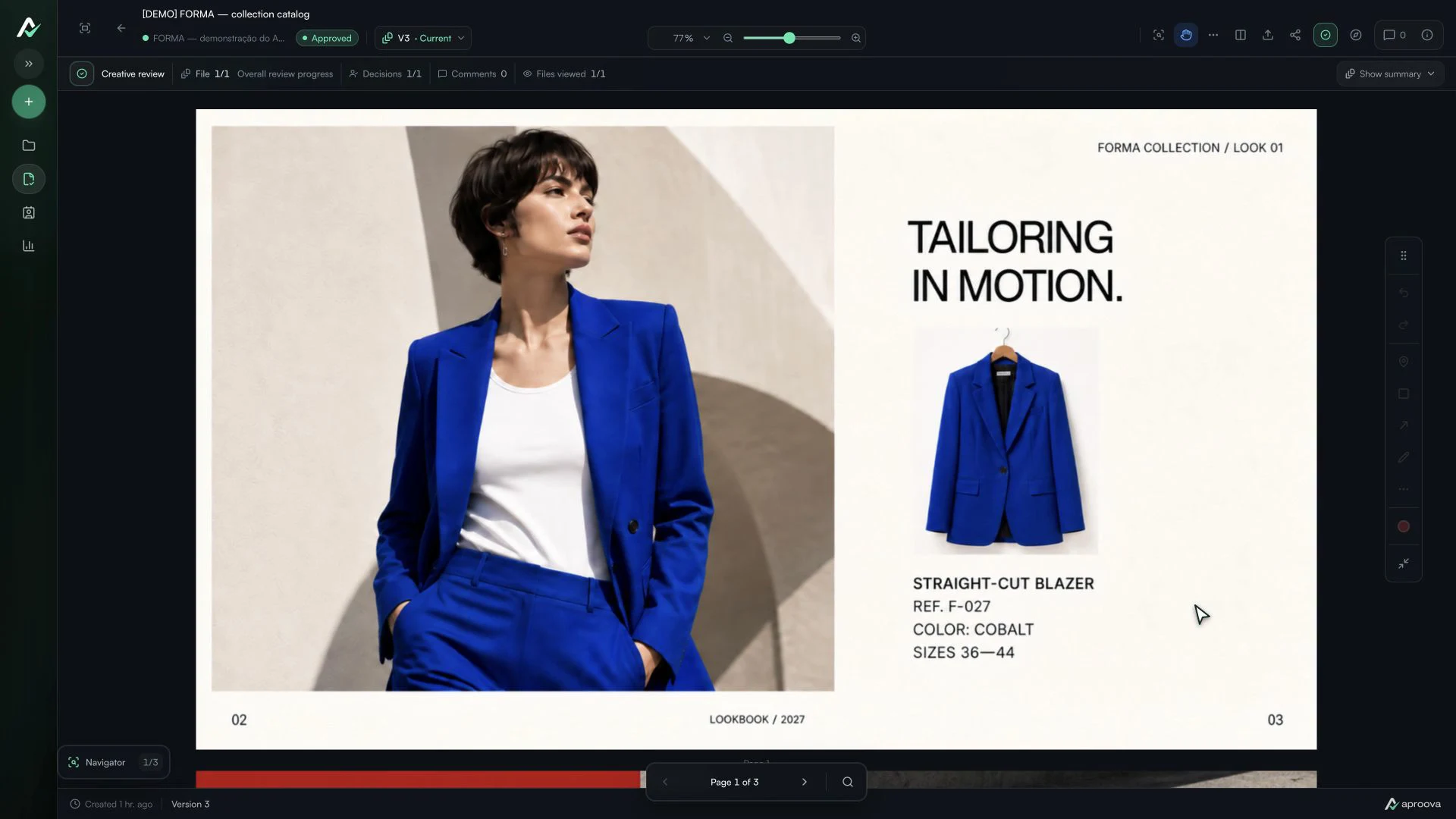
The client approved the artwork, then requested a change. Which decision applies?
Handle a change requested after approval, identify the authorized version and record a new decision without losing the history.
Read guide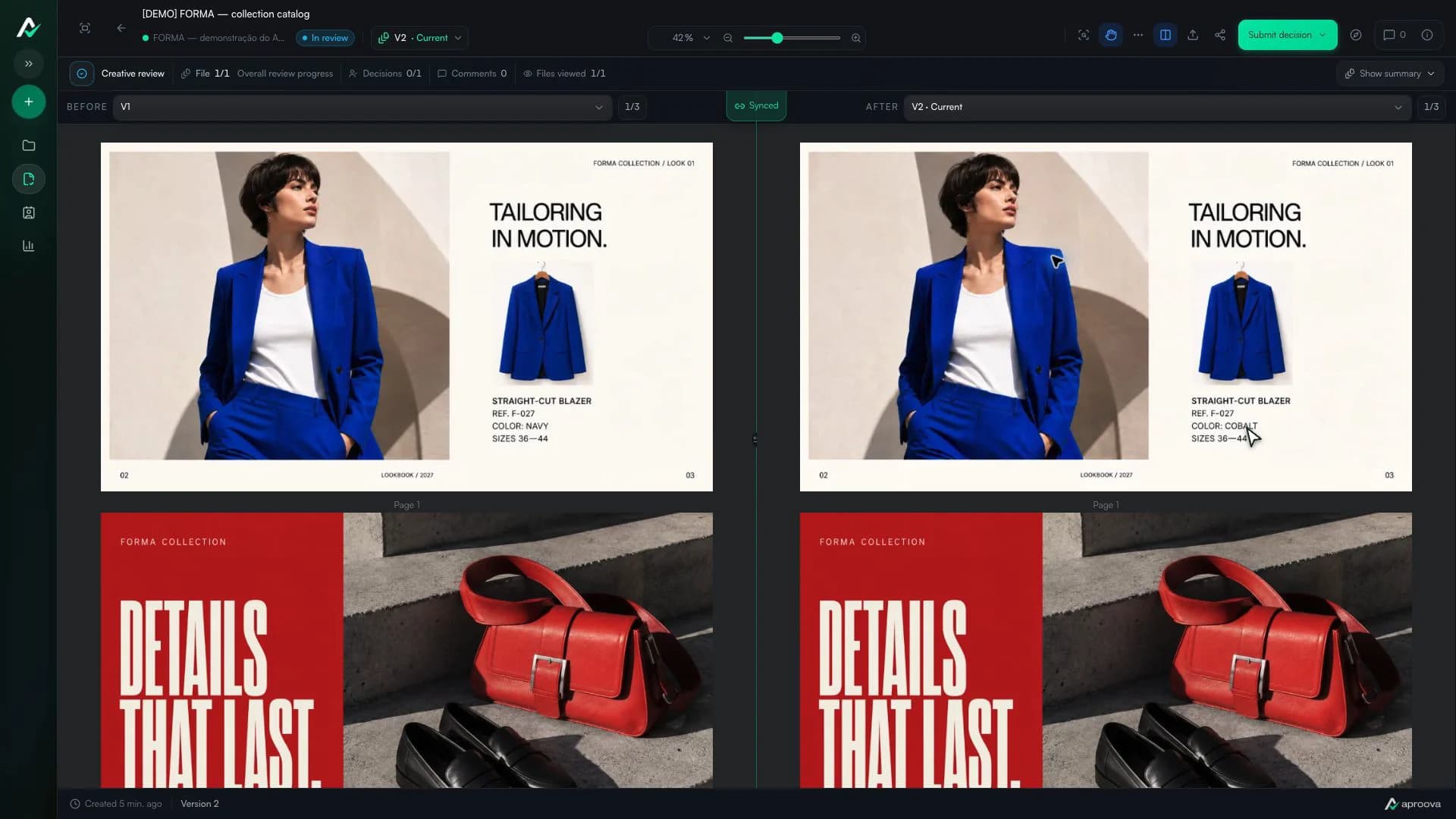
How to review a PDF with clients without scheduling another meeting
Use page-specific comments, clear versions, and one client link to review PDFs asynchronously.
Read guide