

PDF approval
PDF approval with your client,
no meeting.
Proposals, catalogues, decks, manuals. The comment stays anchored to the right page — and nobody has to book a call to explain where.
Free plan to start: 5 reviews per month, 2 users, 2 GB and files up to 25 MB. Paid plans include a 14-day trial, no credit card.
See Aproova in use
The feedback, version and decision in one place.
Explore three product screens. The files and people are demo examples.
Mark the exact spot and explain the change. Feedback stays attached to the work being reviewed.
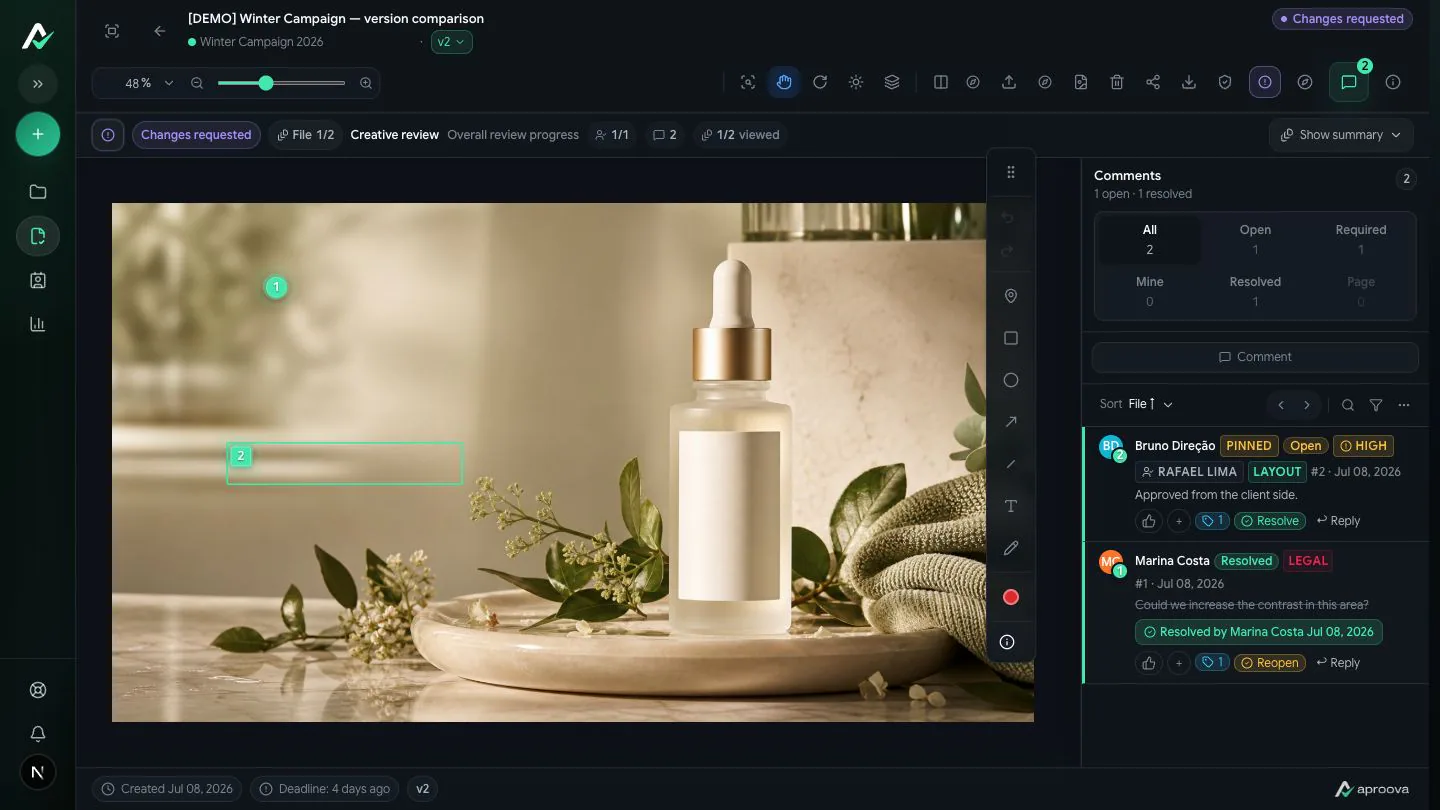

Page by page
The real review happens in the details of the file.
Creators and reviewers need to find the same passage without searching through another conversation.
The problem
Long PDFs are where feedback gets lost.
The more pages, the looser the feedback: an email saying “in the middle bit”, a screenshot with no page number, a two-minute voice note.
The 14-item email
Half with no page, half with no context. Someone has to open the file and guess.
The 40-minute call
Booked only to find out where the changes are. It's the most expensive cost, and the most invisible.
The v3 that became v5
With no history, nobody knows which file went to print or who signed it off.
How it works
The comment lives on the page.
The PDF opens page by page, and every annotation stays anchored where it was made.
Upload the PDF
Multiple pages, with navigation and zoom. The original file is preserved.
Mark the spot
Click the page to leave the comment exactly there. You can select, strike through and replace text passages.
Compare versions
V1, V2 and V3 in one place, with four comparison modes — including overlay and difference.
Close with a record
The decision keeps author, date and version, and generates its own certificate.
Test the complete workflow
One page, one request, a new version.
Choose a demo PDF and a known change. Check whether the reviewer can find the passage, record the request and verify the correction. Test on mobile before introducing the workflow to your team.
Locate the correction
Identify the page, product or passage and describe the expected result. If the catalog order changes, use the product reference to find the request again.
Check the corrected file
Upload another version of the same file. Compare the correction and read the surrounding content: changing text can affect the layout.
Record the scope of approval
Specify whether the decision covers content, digital publication or print production. The browser preview does not replace preflight checks or a printer’s color proof.
What's included
Formats and limits, no fine print.
All of it supports full review, with comments anchored to the page.
Included in a review
- Multi-page PDF, with comments per page
- Text selection, strikethrough and replacement inside the PDF
- Images and video in the same review
- Adobe source files (.ai, .eps, .indd, .idml, .psd, .psb)
- Files up to 500 MB on paid plans · 25 MB on Free
Not part of the product
- Word and PowerPoint — export to PDF before uploading
- Live website or HTML5 banner proofing
- Standalone audio
- Legally binding e-signature — we record the decision, not the signature
Is it for you?
Better said now than at the end of the trial.
Worth it if
- You regularly send long PDFs for client approval
- Changes arrive by email, screenshot or voice note and someone has to consolidate them
- More than one person has to approve, in order
- You need to prove later who signed off which version
Probably not if
- You need legally binding e-signature — that is a different category of tool
- Your volume is one PDF per quarter
- You need live website or HTML5 banner proofing
Pricing
Clear monthly pricing in US dollars.
External reviewers are unlimited on every plan, including Free, and never take up a user seat.
Common questions
What you may want to know before starting.
Do comments stay anchored to the page?
They do. You click the page and the annotation is born there, with its position stored. Anyone opening later sees it in the same place.
Can I strike through and replace text?
Yes. The annotation editor supports selection, strikethrough, replacement and deletion of passages, plus free-form markers.
What is the maximum file size?
500 MB per file on paid plans. On the Free plan the limit is 25 MB.
How does version comparison work?
Compare versions side by side or inspect visual differences between previews. This does not interpret the meaning of text or automatically verify prices and references.
Do reviewers need an account?
Access depends on the review permissions. Link access may allow participation without an account. External reviewers do not take a team seat; check the recipient view before sharing.
Do you offer e-signature?
No. Aproova records the approval decision with author, date and version and issues a certificate. That does not replace a legally binding e-signature.
Upload the next PDF and see the difference on the first round.
A real proposal, a link to whoever decides, and every note anchored to the right page.
Free plan to start: 5 reviews per month, 2 users, 2 GB and files up to 25 MB. Paid plans include a 14-day trial, no credit card.