

Aproova
Version comparison
Check what changed between two uploads in the same review.
In practice
You can identify changes and confirm which version is active.
See it in Aproova20 seconds
Learn with an example
One action at a time.
Check what changed between two uploads in the same review.
Step 1 / 3
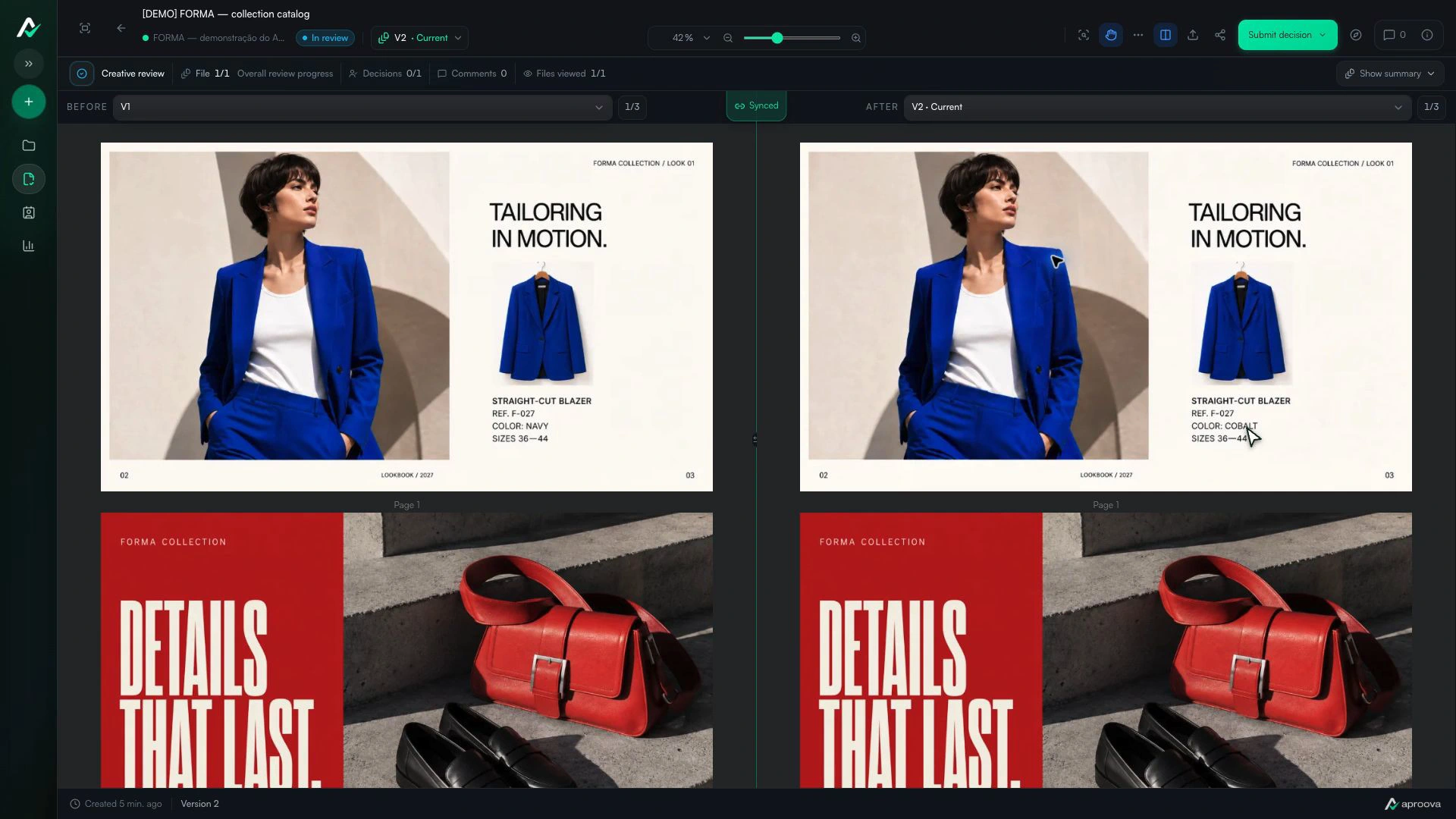
Choose two versions
Open Compare versions and choose the previous delivery under Before and the new one under After.
What you can do
You can identify changes and confirm which version is active.
Check these details
What do I need before I start?
- A review with at least two versions.
- A file compatible with the available viewer.
How do I know I’m done?
You can identify changes and confirm which version is active.
Something didn’t work. What should I check?
- Comparison depends on the file type and processing.
- Use names, dates, and history when versions look alike.
- A missing comment may belong to the previous version.
Continue your review
Version comparison
Check what changed between two uploads in the same review.