

Aproova
Review links
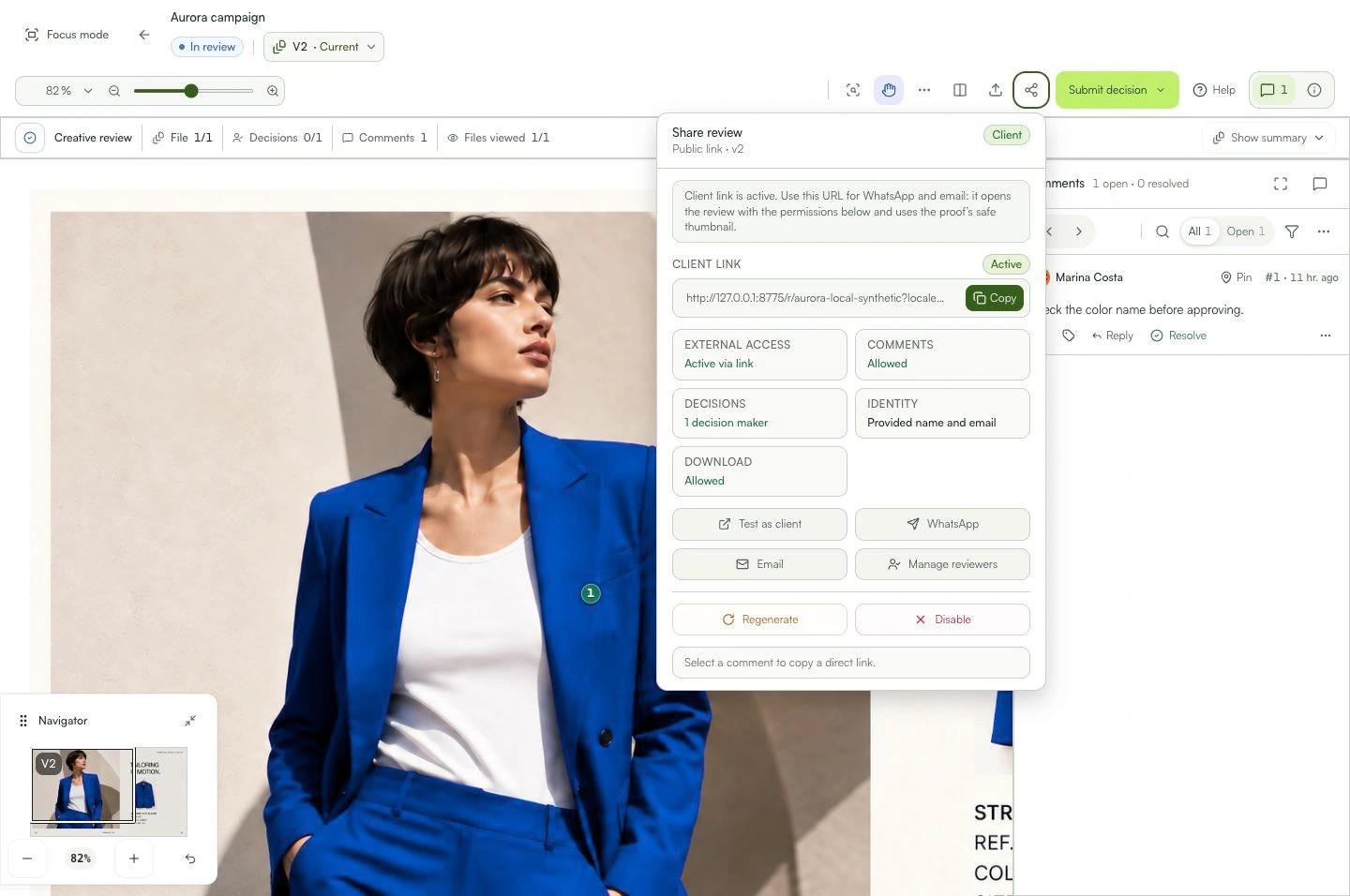
Copy the right person's link without broadening review access.
In practice
The link opens only the review and access assigned to the selected reviewer.
See the context in the app
Learn with an example
One action at a time.
Copy the right person's link without broadening review access.
Step 1
Open the review and its reviewers or sharing area.
Step 2
Find the correct external reviewer.
Step 3
Check the assigned stage and role.
Step 4
Use the copy individual link action when it is available.
Step 5
Send the link only to that person.
What you can do
The link opens only the review and access assigned to the selected reviewer.
Check these details
What do I need before I start?
- A created review.
- An external reviewer with an email and guest access allowed.
How do I know I’m done?
The link opens only the review and access assigned to the selected reviewer.
Something didn’t work. What should I check?
- The action is unavailable for internal members or when guest access is blocked.
- Do not share someone else's individual link.
- If access changes, copy an updated link from the review.
Continue your review
Review links
Copy the right person's link without broadening review access.