

In practice
The request is attached to the version and guides the next upload.
See the context in the app
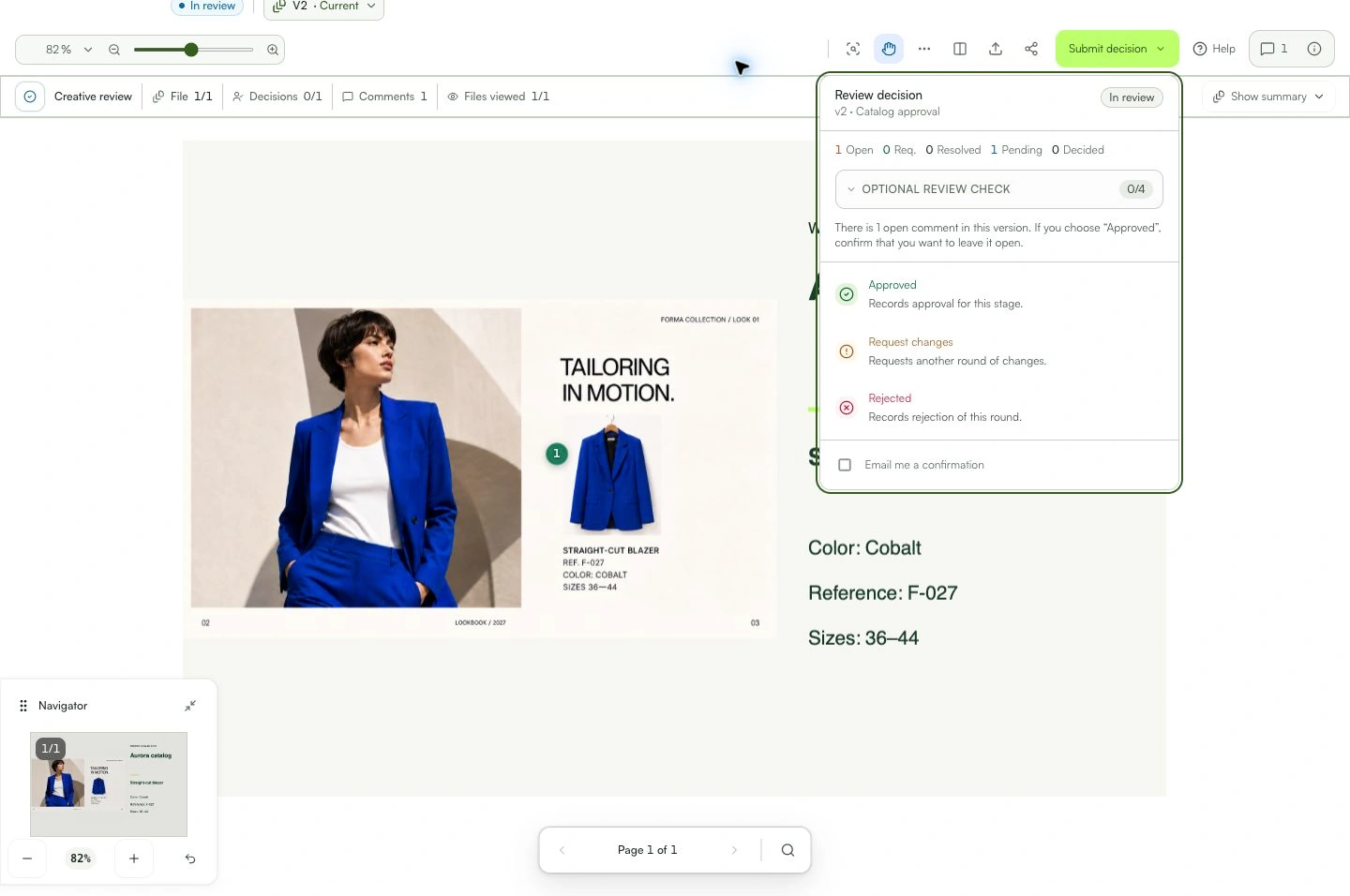
Learn with an example
One action at a time.
Record what needs to change before approval.
Step 1
Review the work and comments.
Step 2
Place markers on specific points when useful.
Step 3
Open the decision action.
Step 4
Choose “Request changes”.
Step 5
Explain what needs to change.
Step 6
Confirm the decision.
What you can do
The request is attached to the version and guides the next upload.
Check these details
What do I need before I start?
- Permission to decide.
- The correct version open.
How do I know I’m done?
The request is attached to the version and guides the next upload.
Something didn’t work. What should I check?
- Avoid a vague reason; describe the expected result.
- Confirm the version before deciding.
- If the button is unavailable, check the role, stage, and status.
Continue your review
Change requests
Record what needs to change before approval.