


Review notifications reach the right people on WhatsApp.
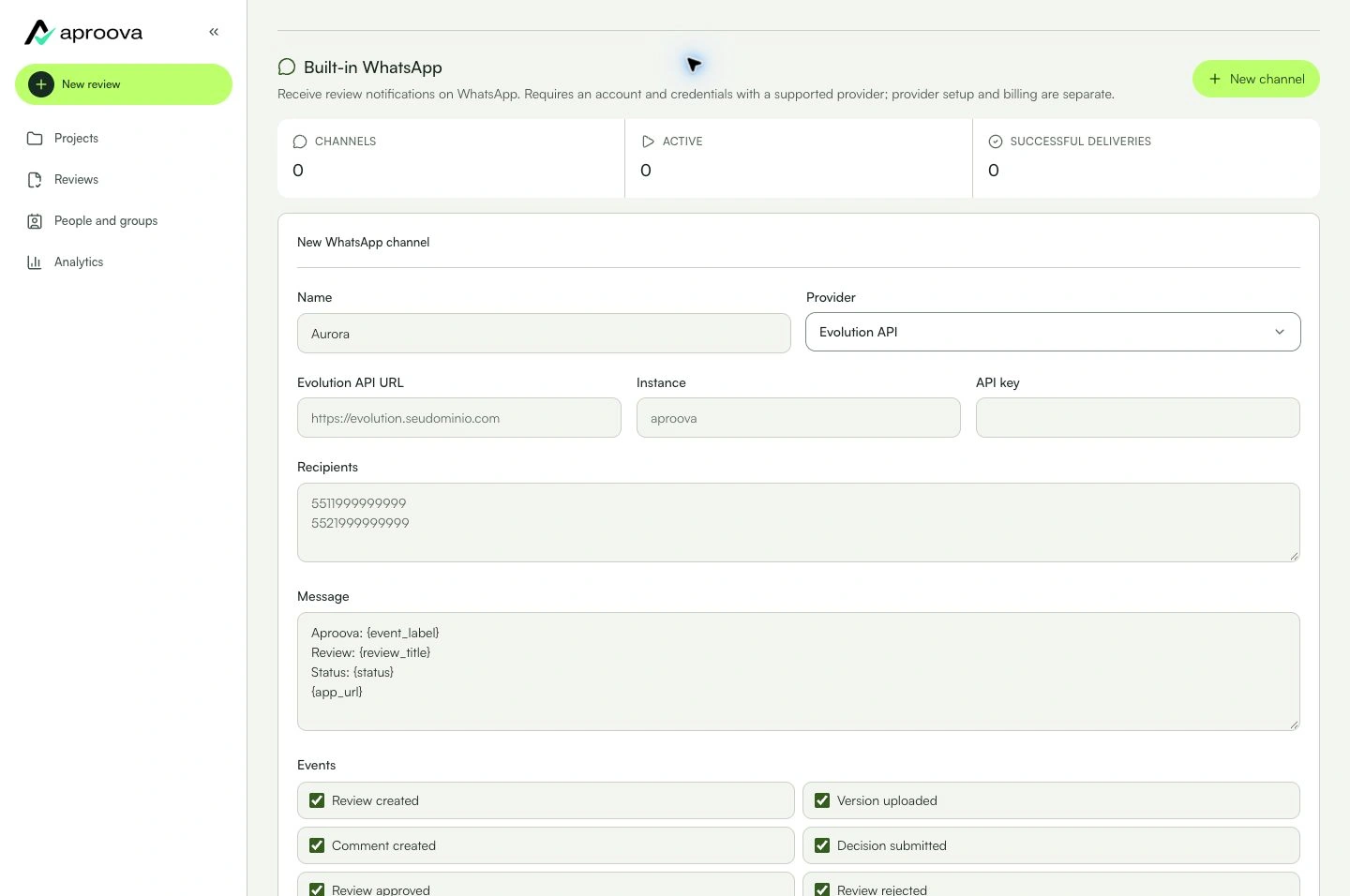
Learn with an example
One action at a time.
Connect a supported provider and choose recipients and events.
Step 1
Open Settings > Integrations > Native WhatsApp > New channel.
Step 2
Name the channel and choose the provider. Fill only the credentials requested for that provider.
Step 3
Enter recipients and adjust the message using the available variables. Check numbers and content before saving.
Step 4
Select events and create the channel. Use Test only with an authorized internal number; check both history and the received message.
Step 5
Use Edit to change settings and Pause to stop new notifications. Review dependencies before removing a channel.
What you can do
Recipients receive configured notifications. Comments and approval stay in Aproova.
Check these details
What do I need before I start?
- Workspace owner and Flow or above. Your own account and credentials for Evolution API, Z-API, WhatsApp Cloud API, Twilio or WATI; provider costs and rules are separate.
How do I know I’m done?
Recipients receive configured notifications. Comments and approval stay in Aproova.
Something didn’t work. What should I check?
- Sending failed: check credentials, number format, permissions and provider limits in delivery history.
- This feature requires a service setup; it does not connect a personal WhatsApp account through a login button.
- Provider acceptance does not guarantee delivery to the phone or that the message was read.
- To follow along in the app, choose the tool in the guide at the top of Settings → Integrations. Use Next step and Open full help as needed. Moving through the guide does not connect accounts or send messages; verify the result at the destination before using it in production.
Continue your review
Connect a supported provider and choose recipients and events.