

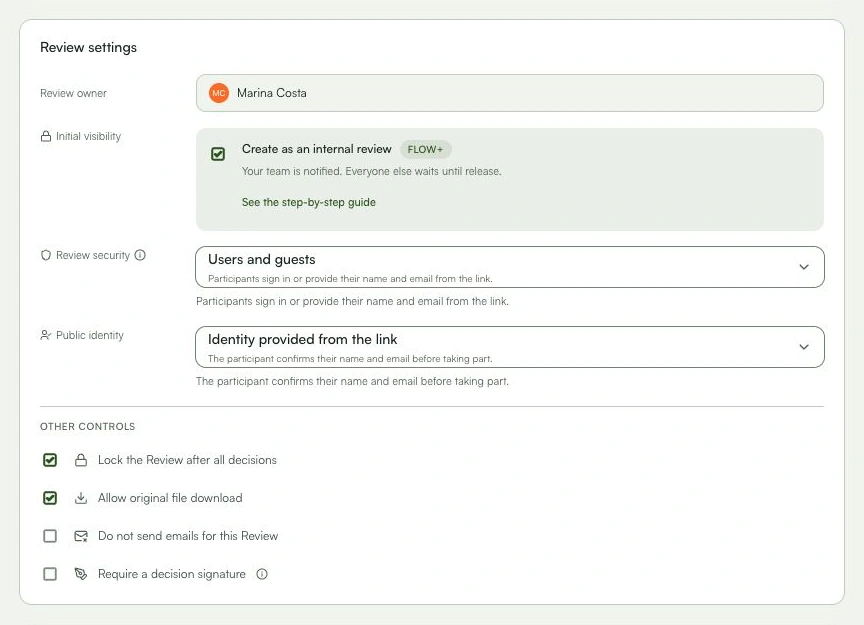
Review settings
Set participants, stages, deadlines, visibility, and policies before sending.
The review is created with access and workflow checked, without inviting people by mistake.
Learn with an example
One action at a time.
Set participants, stages, deadlines, visibility, and policies before sending.
Step 1
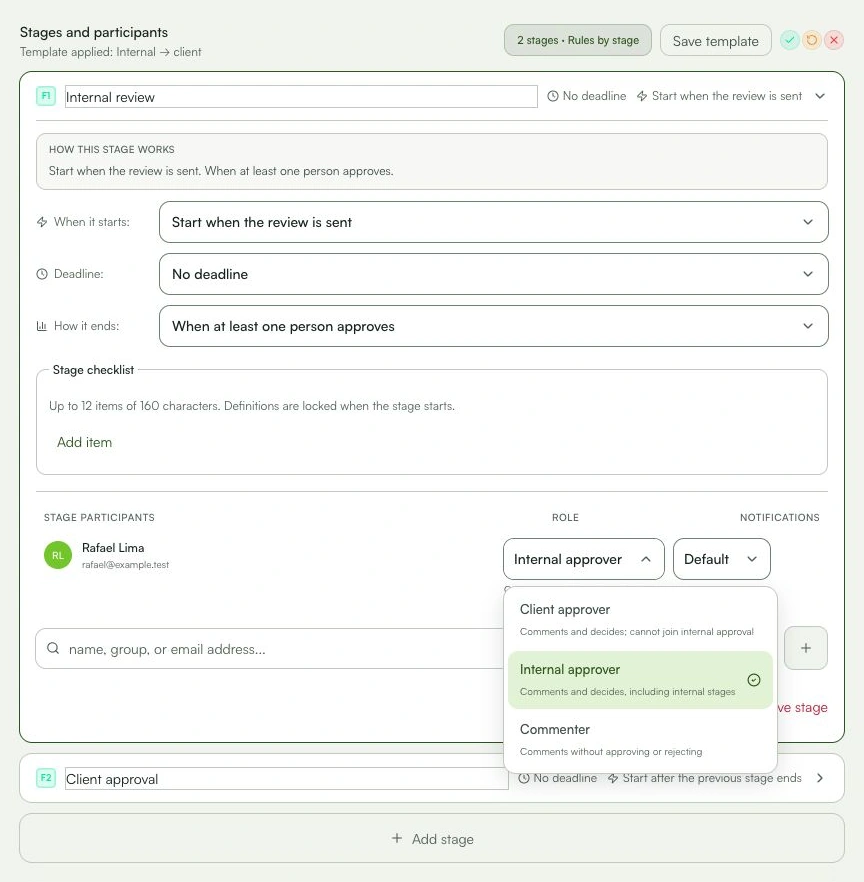
While creating the review, open “Stages and participants”.
Step 2
Add a summary if reviewers need context.
Step 3
Check each stage, participant, role, and deadline.
Step 4
Choose who can access the review.
Step 5
Review downloads, notifications, comments after decisions, and signatures when available.
Step 6
Check the final summary and save a draft or send it for review.
What you can do
The review is created with access and workflow checked, without inviting people by mistake.
Check these details
What do I need before I start?
- A selected file, title, and project.
- Permission to create or edit the review.
How do I know I’m done?
The review is created with access and workflow checked, without inviting people by mistake.
Something didn’t work. What should I check?
- Every review starts at V1; version is not a configurable field.
- Deadlines belong to each stage, not the whole review.
- Without a participant, the review can be saved as a draft and no invitation is sent.
Continue your review
Review settings
Set participants, stages, deadlines, visibility, and policies before sending.