

Aproova
Images, PDFs and videos
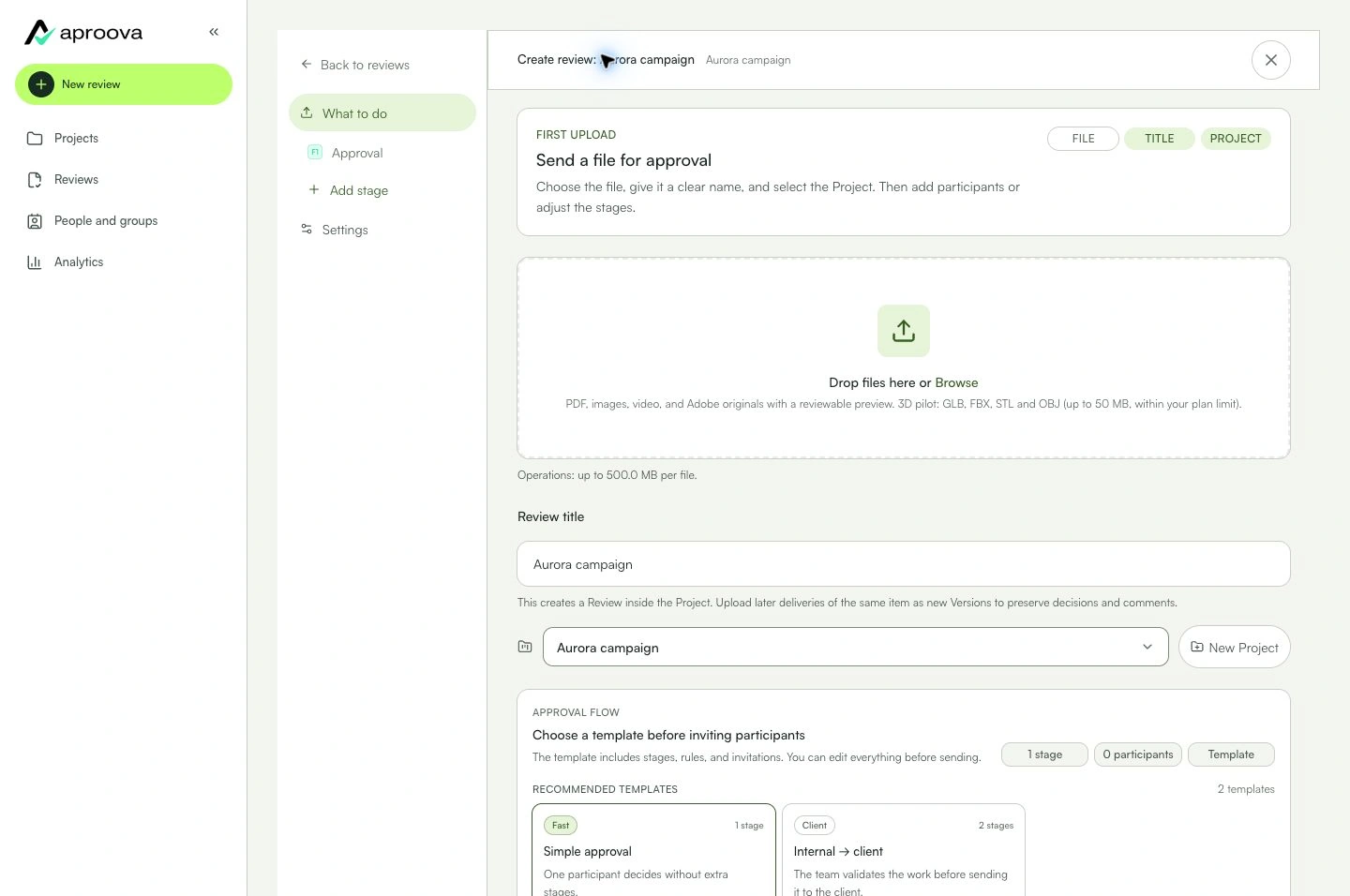
Upload the initial work and confirm the version is ready before sharing.
In practice
The file appears as version 1 and can be opened in the viewer.
See the context in the app
Learn with an example
One action at a time.
Upload the initial work and confirm the version is ready before sharing.
Step 1
Open review creation.
Step 2
Drag the file in or use the file picker.
Step 3
Check its name, type, and preview when available.
Step 4
Wait for progress to finish.
Step 5
Review the project and review name.
Step 6
Confirm the creation.
What you can do
The file appears as version 1 and can be opened in the viewer.
Check these details
What do I need before I start?
- A selected project.
- A format accepted by the uploader.
- A stable connection for larger files.
How do I know I’m done?
The file appears as version 1 and can be opened in the viewer.
Something didn’t work. What should I check?
- Unsupported format: use a format listed by the uploader.
- Interrupted upload: check your connection and retry.
- No preview: wait for processing before sharing.
Continue your review
Images, PDFs and videos
Upload the initial work and confirm the version is ready before sharing.