

How to approve collection prints without losing the detail
Review fashion prints with precise comments, references and versions. See what to check before approving the collection artwork.
Written by the Aproova product team from the review flows we build and test in the application.
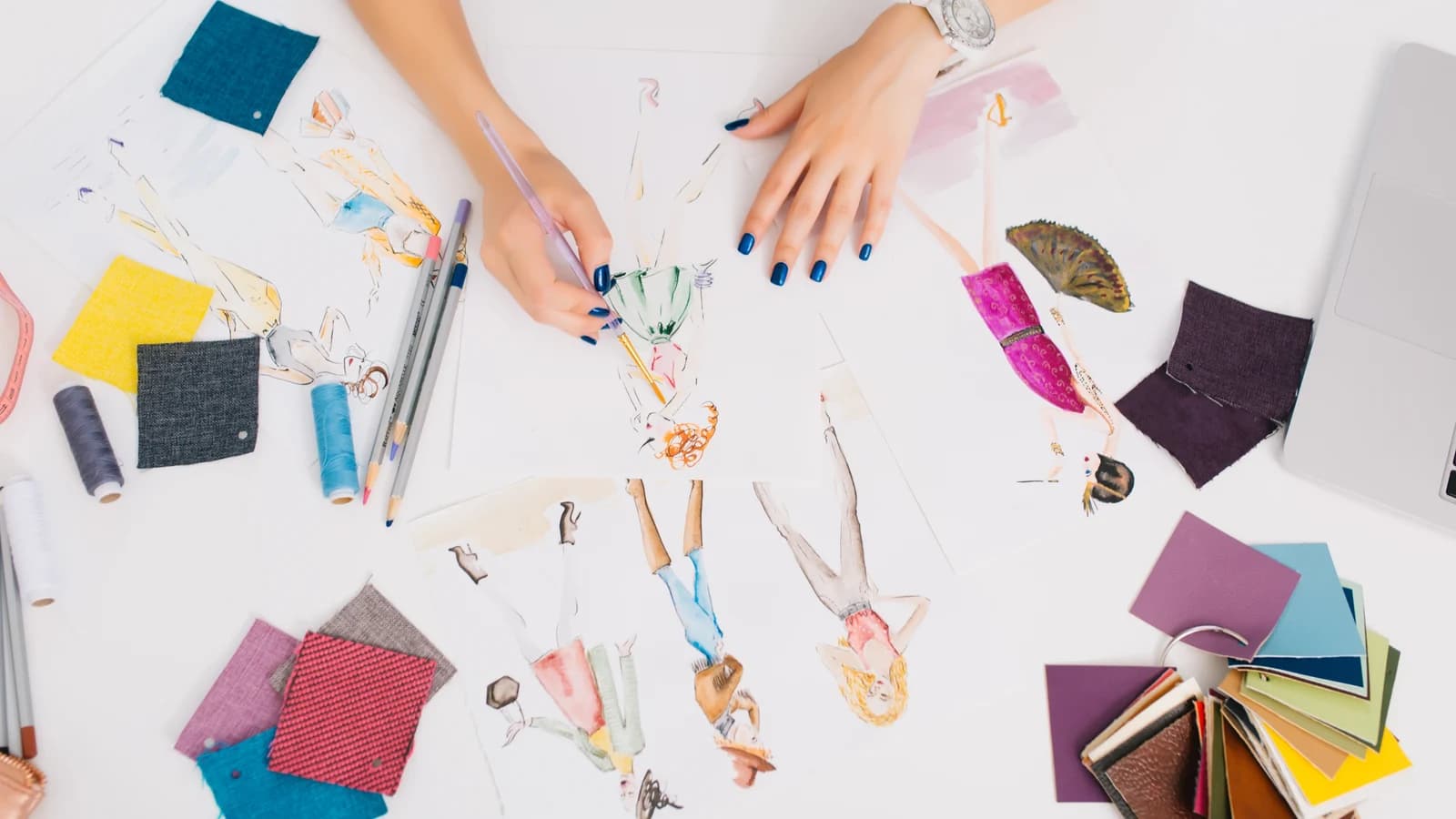
“Make the flower smaller.” There are five. One sits on the sleeve, another is cropped at the edge and three make up the main design. Before changing anything, the designer needs to know which flower the request refers to.
A location turns that request into something the team can act on. The next question is whether the change applies to one placement or to several garments in the collection.
Identify the garment and the review scope
Include the garment reference, placement and version with the image. Say what the reviewer is deciding: motif size, position or the overall composition.
For example: T-shirt CAM-014, front placement, version 2. This round checks size and position. Colour and the result on fabric still need a physical sample. A short description is enough; it need not become another approval stage.
Mark the flower before asking for a change
Mark the motif on the shoulder, then explain the outcome: “Reduce this flower so it does not touch the shoulder seam. Keep the leaves as they are.”
If a technical measurement matters, include it and identify the source. Distance on a mockup is not a reliable measurement of the physical garment. A marked-up image or sketch can explain the intention when the reviewer does not know the right design term.
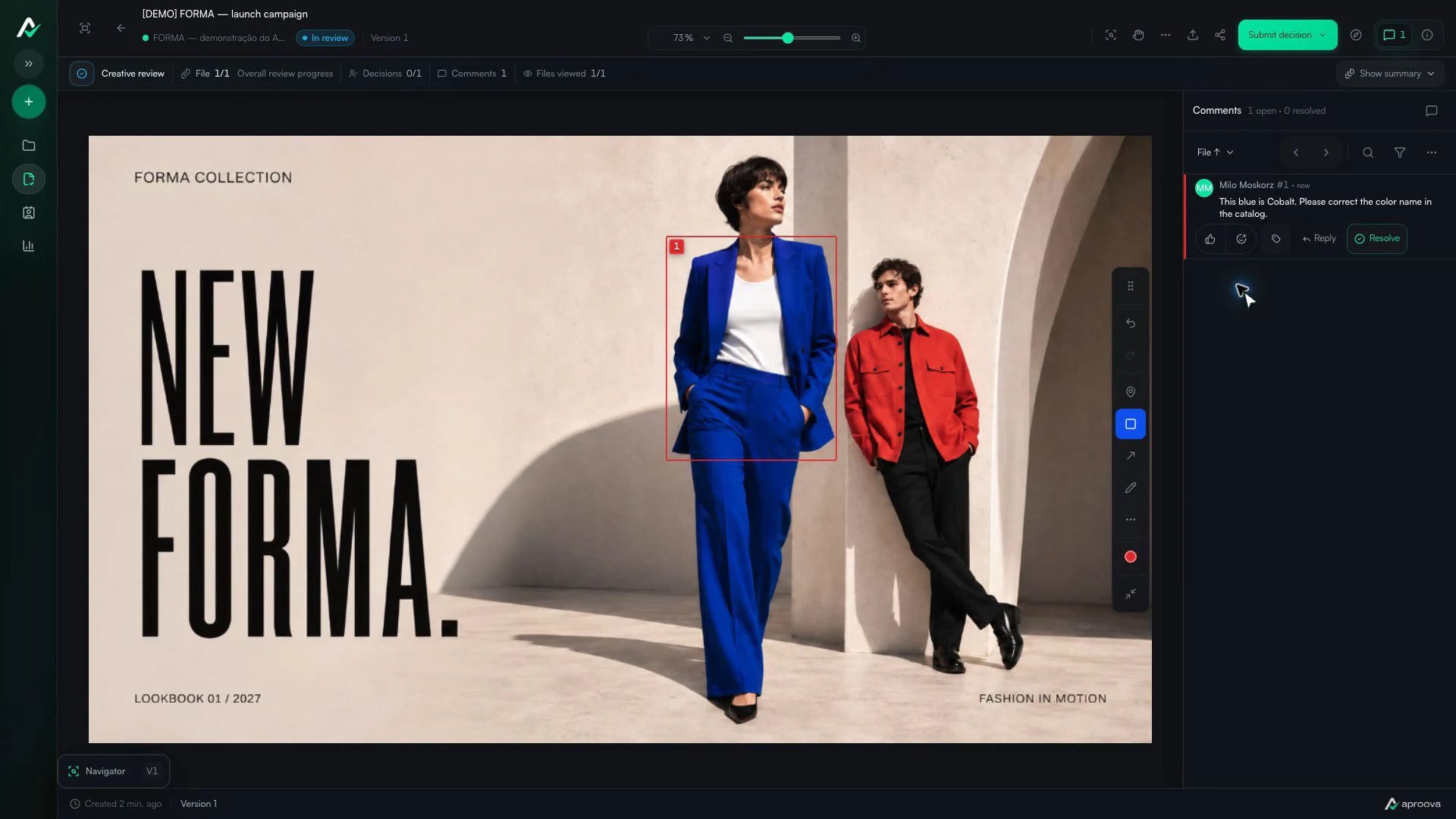
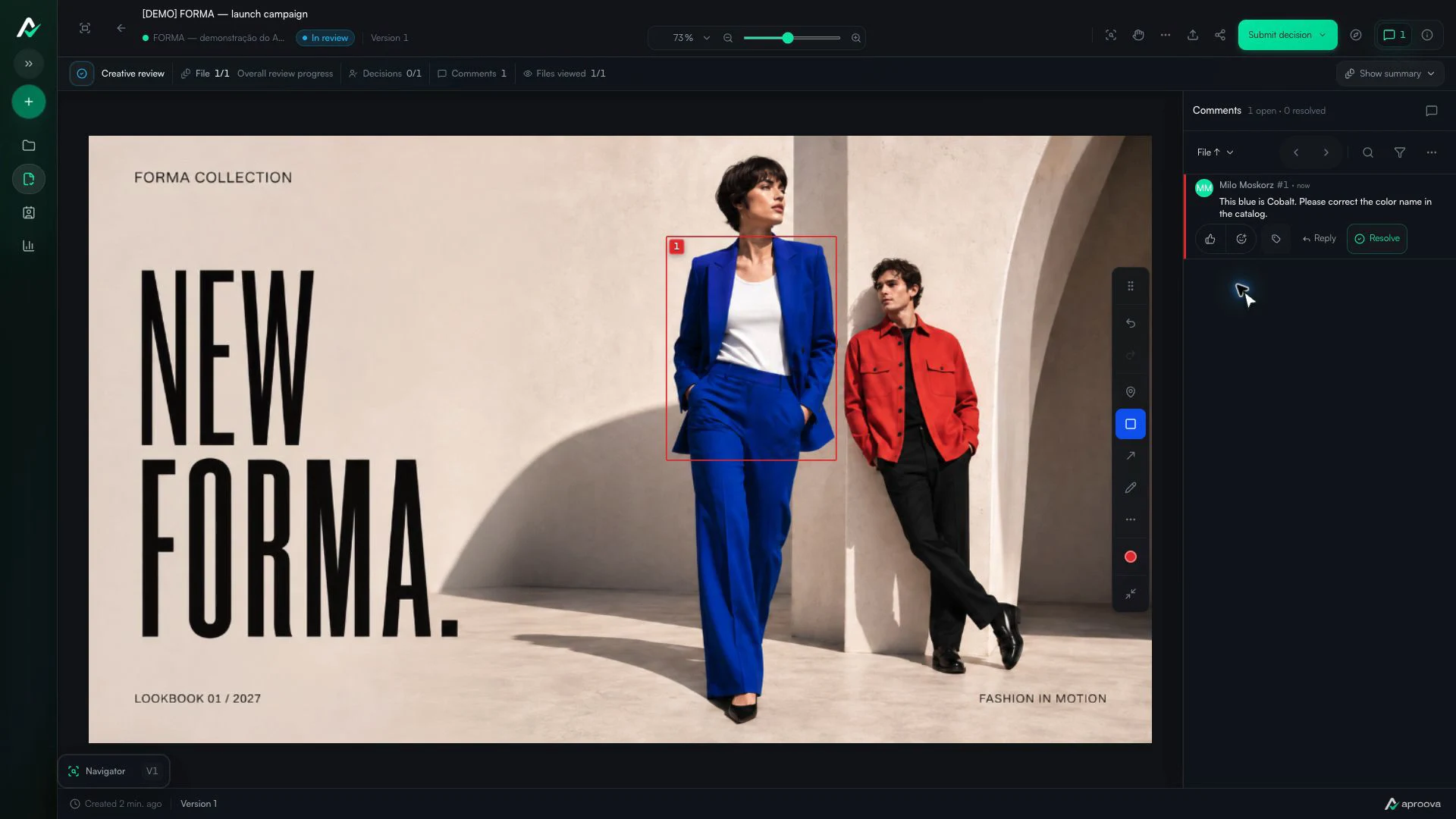
What the video shows
A rectangle marks the blazer. The comment asks for its color name to be corrected to Cobalt. Recorded in Aproova using a fictional fashion collection and test comments.
Give the reference a caption
An attached image with “like this” still leaves room for interpretation. Specify whether it illustrates position, scale, framing or something else.
Try: “Use this reference only for the position of the motif. Keep our drawing and colours.” In Aproova, an image can accompany a comment. Use your own reference or one you have permission to share.
Check where the change also appears
A change may affect the front, back, another colourway or an image already placed in the catalogue. List the affected files and who will check them.
Do not assume a correction to one image updated the others. If the change only applies to the front placement, say so.
Compare the next version with the request
Open the previous and revised versions together. Check the motif and the space around it: making a flower smaller can change the balance of the whole print.
Aproova keeps comments and versions in the same review. Visual comparison helps the reviewer inspect the result; it does not automatically validate measurements, fabric colour or production suitability.
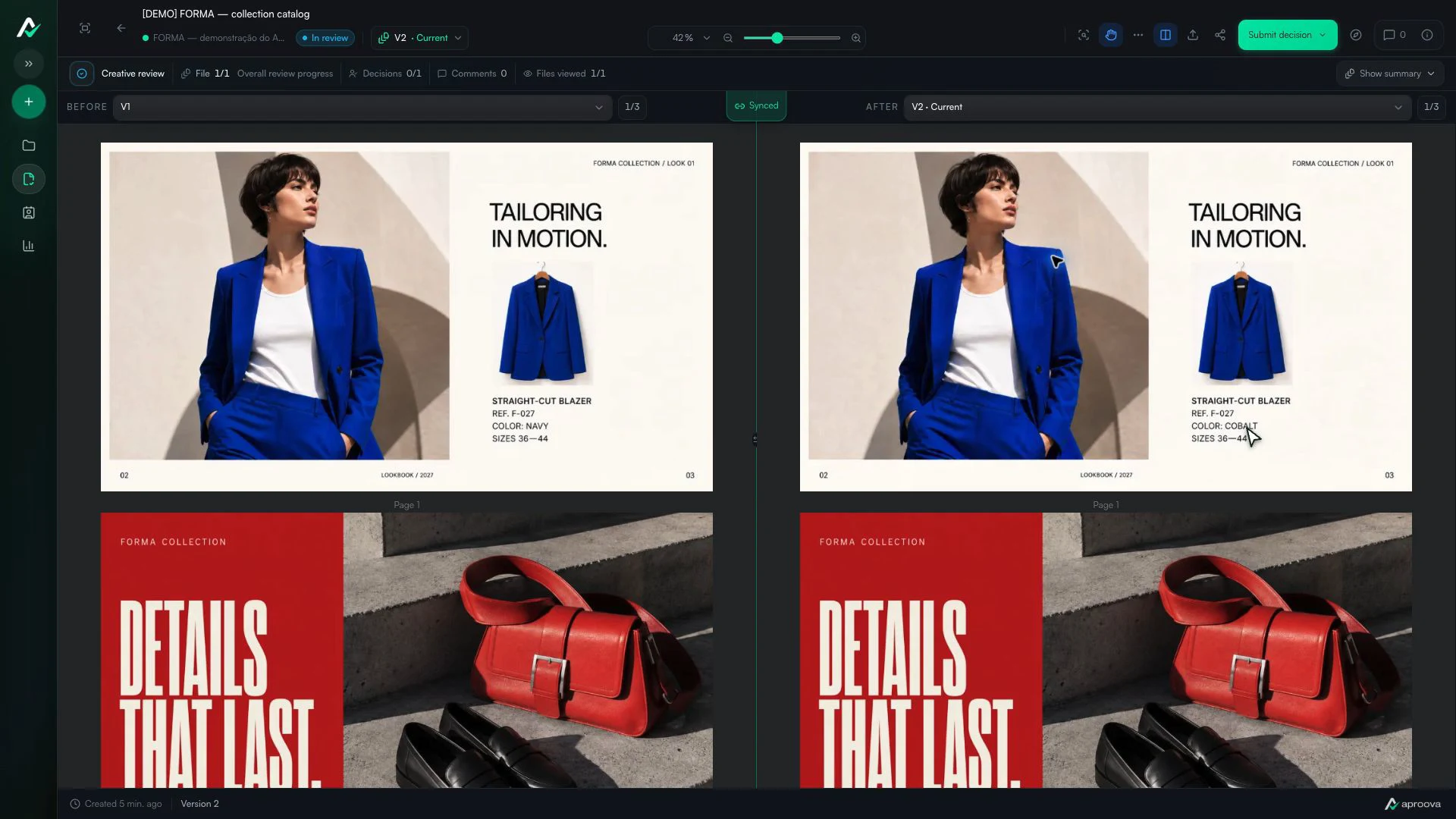
What the video shows
Versions 1 and 2 appear side by side. The color name changes; reference F-027 and sizes 36–44 stay the same. Recorded in Aproova using a fictional fashion collection and test comments.
Record what has actually been approved
The drawing may be accepted while a fabric sample is still pending. One placement may be approved while another needs work. State that scope before releasing the file.
Keep the final decision attached to the version that was checked. If another change arrives afterwards, identify the new version and have the affected details checked again.
Questions people ask before setting up the workflow
Can I review just the print image?
Yes, when the decision concerns the drawing. To assess placement on a garment, add a placement mockup or photograph for context.
Can a reference image explain the change?
Yes. An image can accompany an Aproova comment. Add a short sentence identifying the detail that should guide the correction.
Does image approval release production?
That depends on your company’s process and technical checks. Visual approval does not replace print tests, fabric assessment or sample approval.
Continue with these guides
Two approvers disagree about the same artwork. How to move the review forward
One approver requests a change and another asks for the opposite. Record the conflict, identify who decides and avoid creating a version based on guesses.
Read guide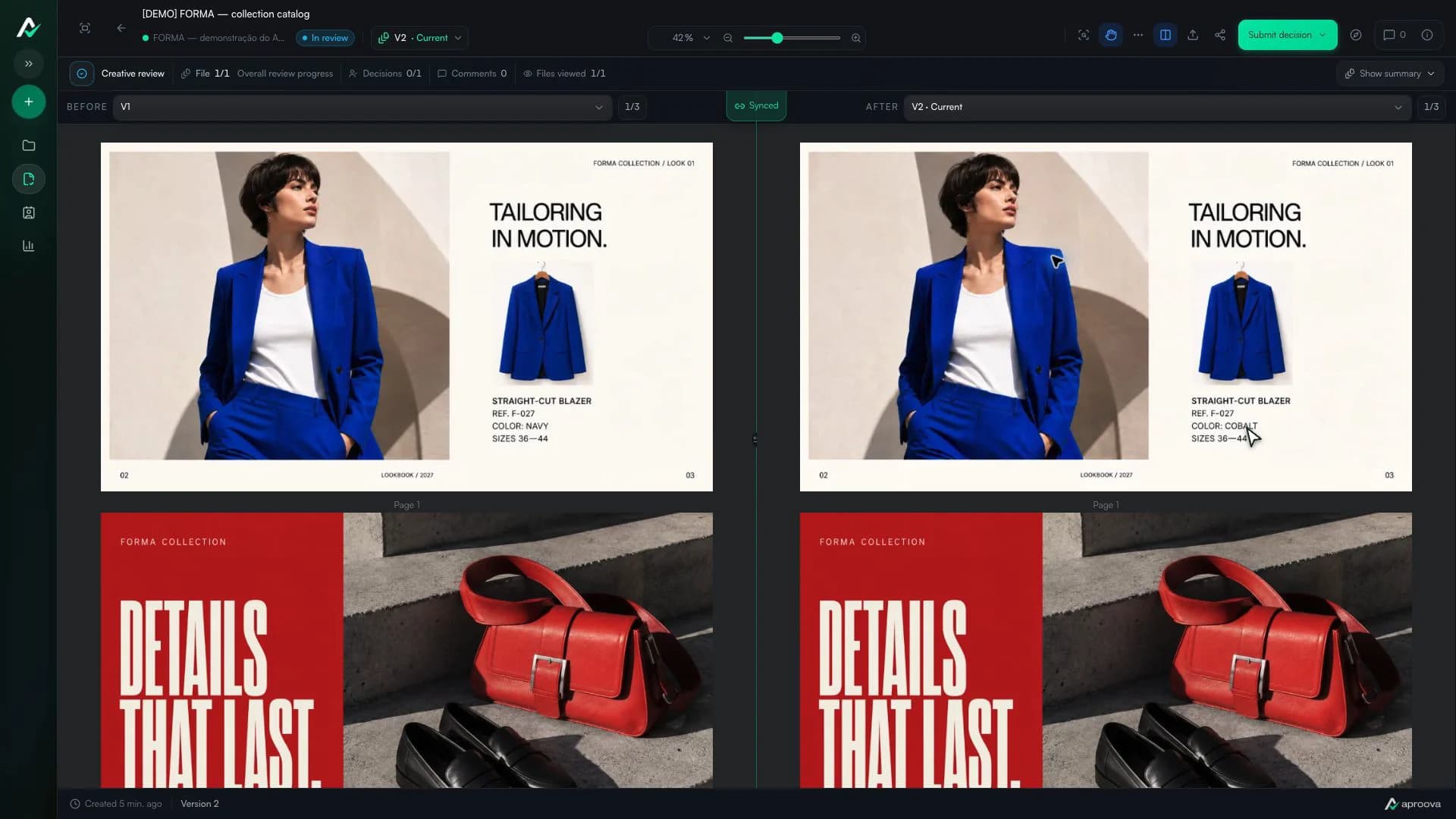
How to compare creative versions without relying on memory
Use side-by-side and overlay comparison to check changes before approving the final artwork.
Read guideCatalog proofing checklist: review prices, pages and versions
Use a catalog proofing checklist to review product details, prices, images and page order. Includes sample feedback and a sign-off brief for your team.
Read guide